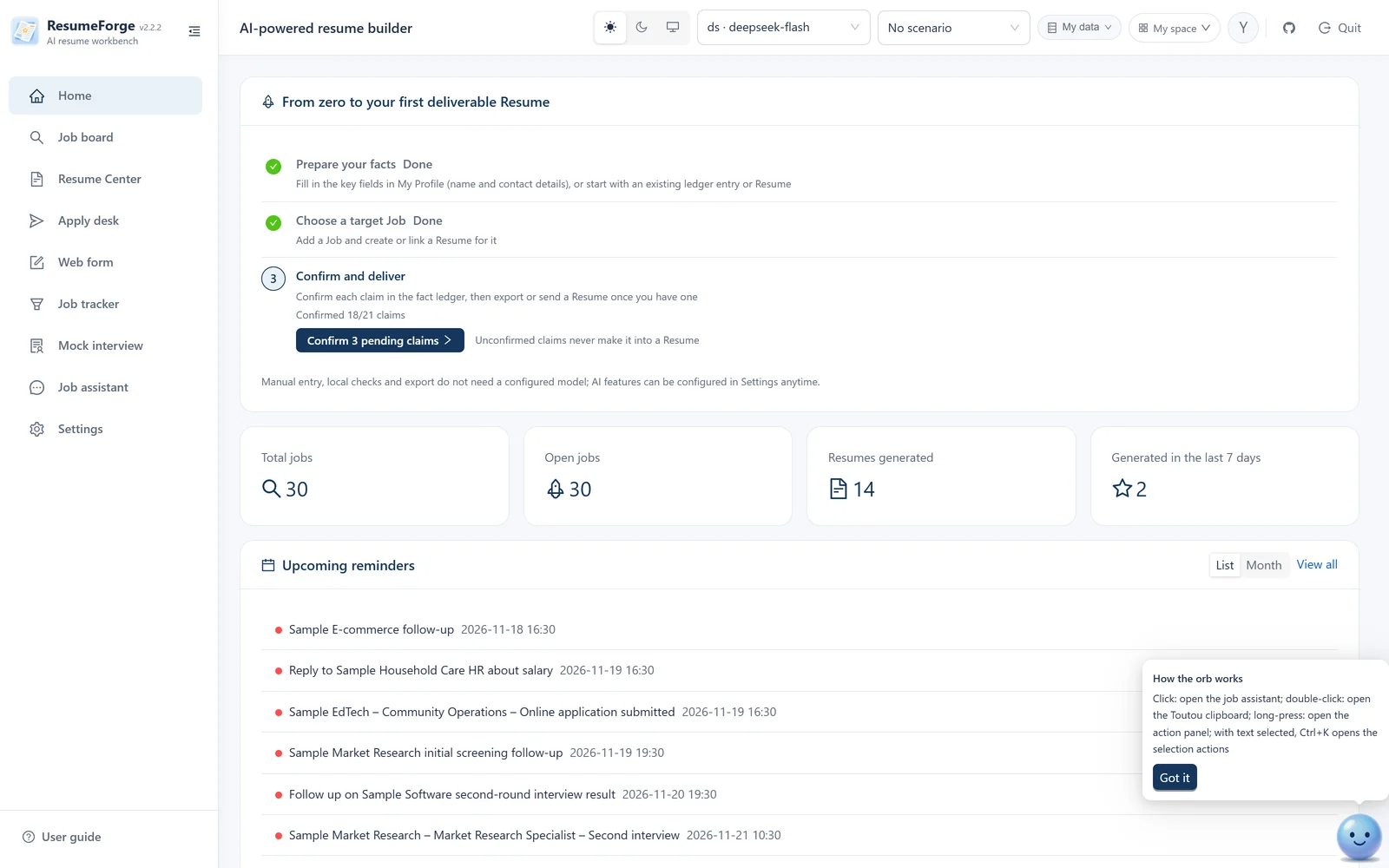
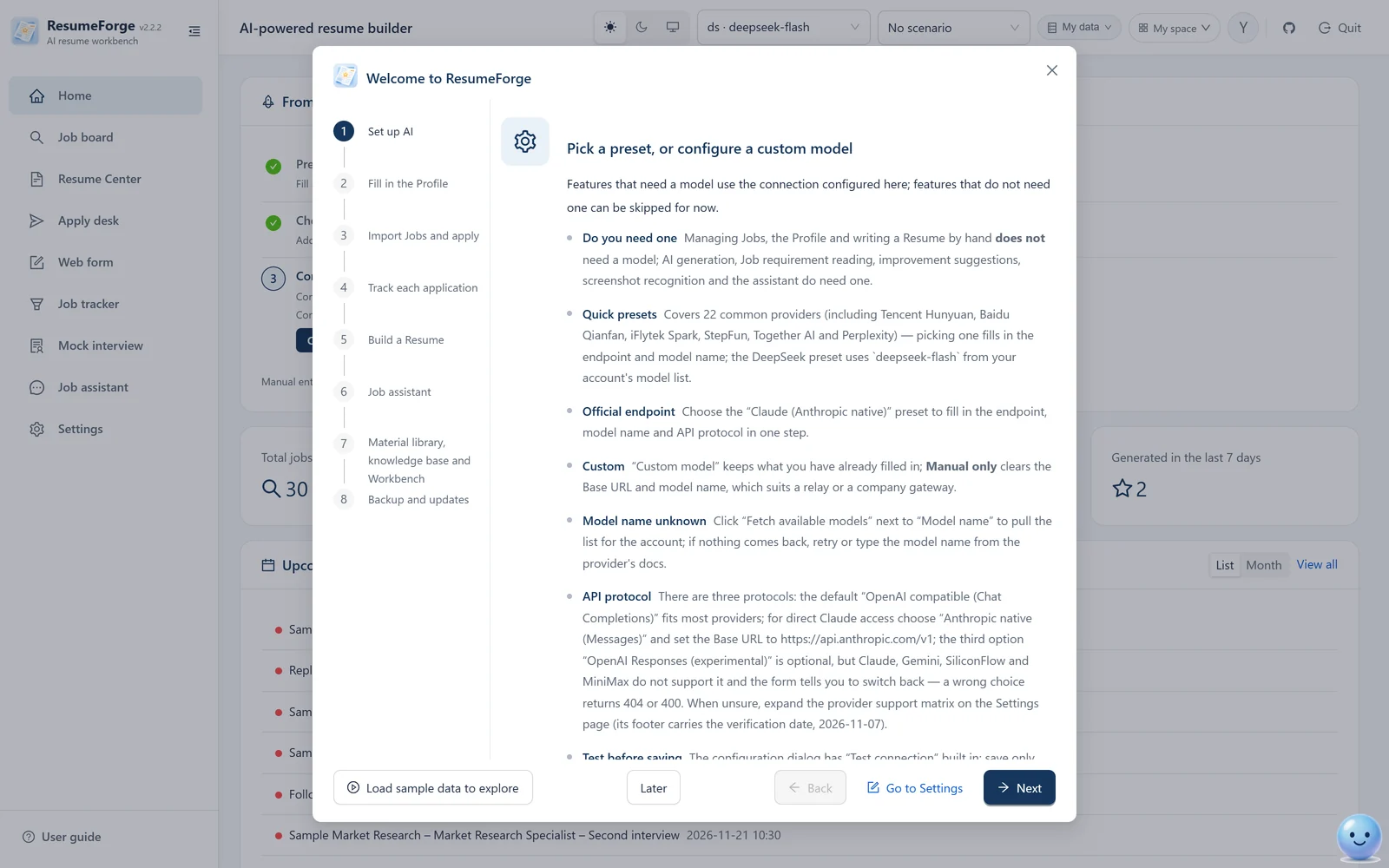
Home workbench: the three-step checklist and key counts, with the reminder list below
The problem
Most job-search tools never touch the part you are actually stuck on.
These six things are where a job search usually gets stuck. ResumeForge builds something specific for each one — not just another “let AI write it” button.
One resume, sent to every job
A hundred applications, three replies. Usually the resume is not badly written — it just does not answer any particular job.
ResumeForge: generates against the JD line by line; match analysis gives five verdict types and an apply / needs confirmation / do not apply recommendation — before you send it.
The AI embellishes a little
Calling participation “leading”, or a team result your own. Two follow-up questions and the sentence collapses.
ResumeForge: every claim carries a level of ownership and a personal boundary; unconfirmed statements are explicitly avoided, and a resume still holding [TODO] markers is blocked at export.
One interview question and it falls apart
You memorized answers, but the interviewer asks how the number was measured. If the definition is unclear, the polished wording does not help.
ResumeForge:interview deep dive stress-tests each confirmed claim — the rubric is locked before the question, evidence status replaces a score, and the session ends with a “what to fix” list.
Applying by hand, status scattered across email
Which companies, which stage, what to do next — all held in your head and a spreadsheet that keeps getting messier.
ResumeForge: the apply desk queues jobs and applies for you, with per-job progress, pause and a circuit breaker; successful applications flow into the tracker, and pasting an email screenshot updates the stage.
Materials, interview notes and links everywhere
Certificates in one folder, interview notes in a notes app, links in bookmarks. When you need one, none of them can be found.
ResumeForge: the material library holds loose material, the knowledge base holds written notes, and the trash handles deletion and restore for all 22 kinds of content.
Afraid to hand your resume to a cloud tool
Your phone number, full history, a referrer's contact — put those on a website and you start worrying about how they will be used.
ResumeForge: data stays local by default (SQLite), job-site credentials are never stored, and exports can be redacted in one click or packed for offline sharing.
What makes it different
These seven things are the main difference between ResumeForge and comparable tools.
These are not here to make the feature list longer. They exist so the tool's conclusions can be checked by you — and survive an interviewer's follow-up. Each one comes from a real failure mode.
01 · Fact ledger
Facts first. Wording second.
Every sentence that might go into a resume is first broken into raw fact, resume wording, level of ownership and personal boundary. Only confirmed entries may enter a formal resume — the assistant can read the ledger and add entries, but cannot confirm them for you.
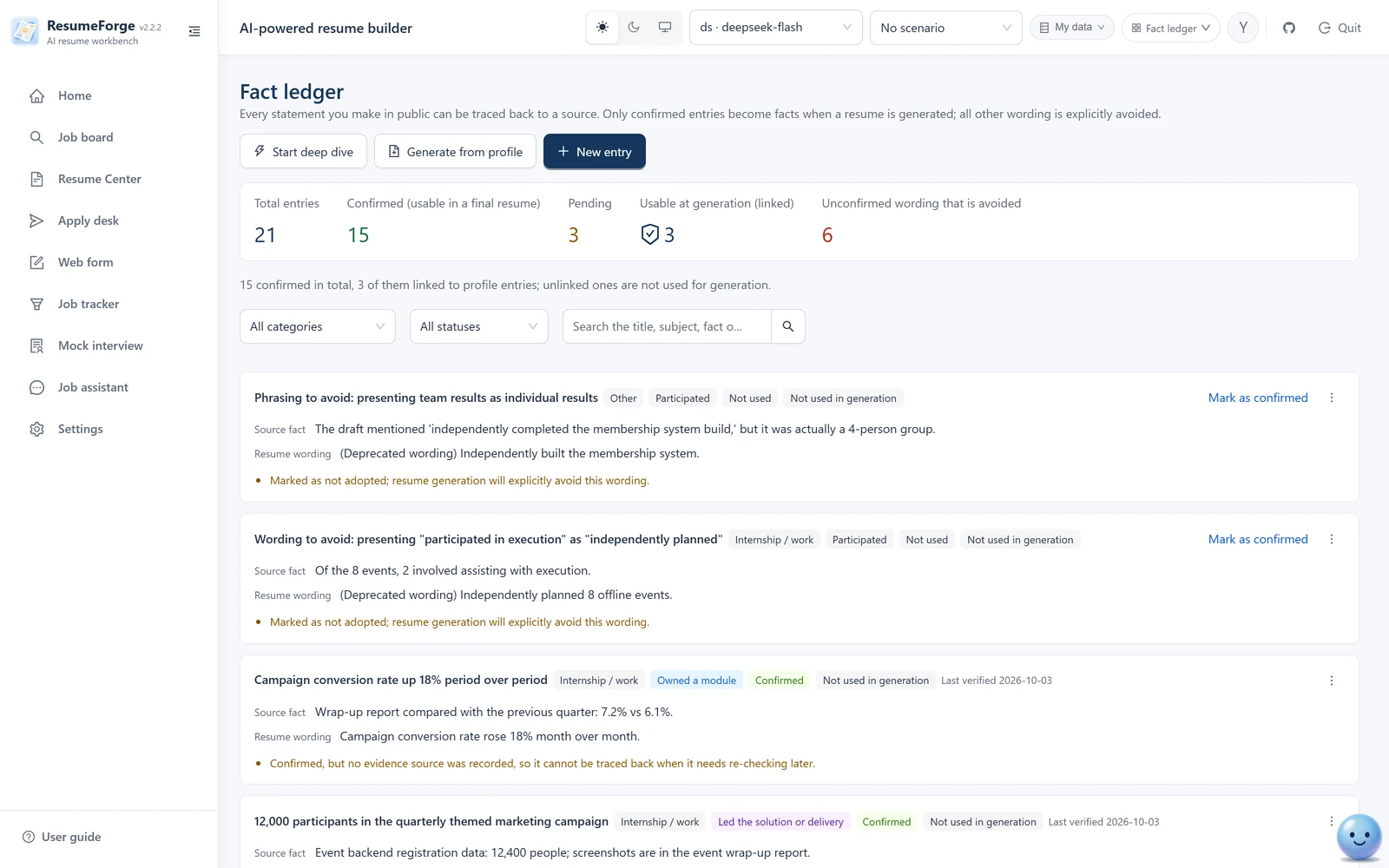
Fact ledger: verification status shown by icon and color, with ownership level and last verified date
02 · Match analysis
Deliberately no percentage score.
It returns five verdict types and an apply recommendation, each backed by the JD quote and your evidence. There is also a 0–100 reference score, with hard boundaries: computed locally, never used for the apply decision, and always shown with a disclaimer.
Match analysis: every verdict carries a category, the JD quote and evidence; where evidence is missing it says “not provided”; the apply recommendation sits at the bottom
03 · Company research
Know the company before you apply.
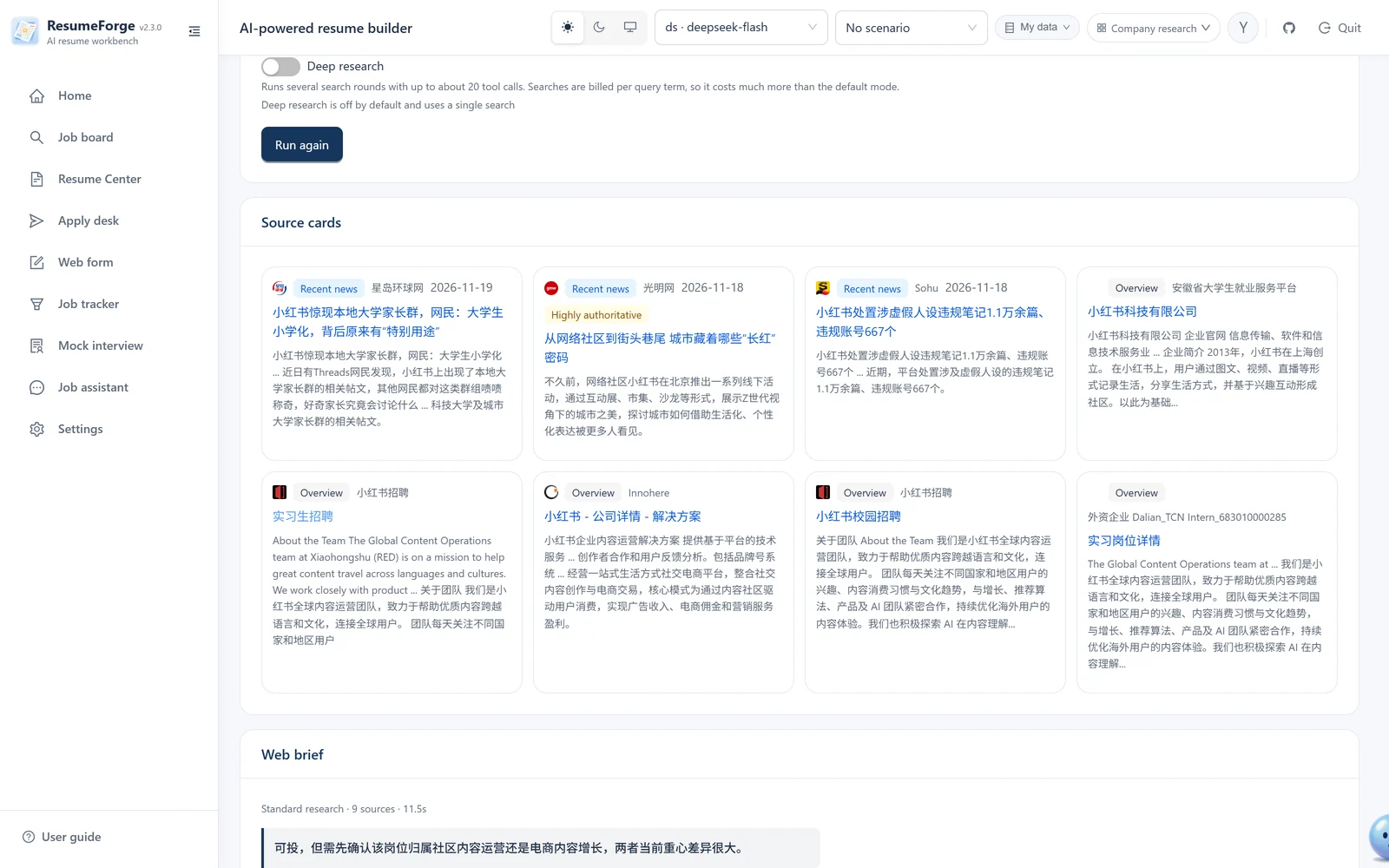
Type in a company name and two things come back: source cards from aggregated search (source site and publish date, with highly authoritative sources labelled “Highly authoritative”), and an online brief with cited sources — a one-line verdict plus six fixed sections, every conclusion traceable to its source. For more depth, turn on “Deep research”; each run leaves a snapshot in “Research history”.
Company research: each source card shows its site and date, and highly authoritative sources are labelled “Highly authoritative”; the online brief opens with a one-line verdict, then expands into six fixed sections
04 · Interview deep dive
The standard is fixed before you see the question.
Each question locks its rubric at generation time — what to verify, which evidence to listen for, when to follow up — and never loosens it because an answer sounded fluent. Evidence status replaces a score; afterwards you get action items and a re-practice queue.
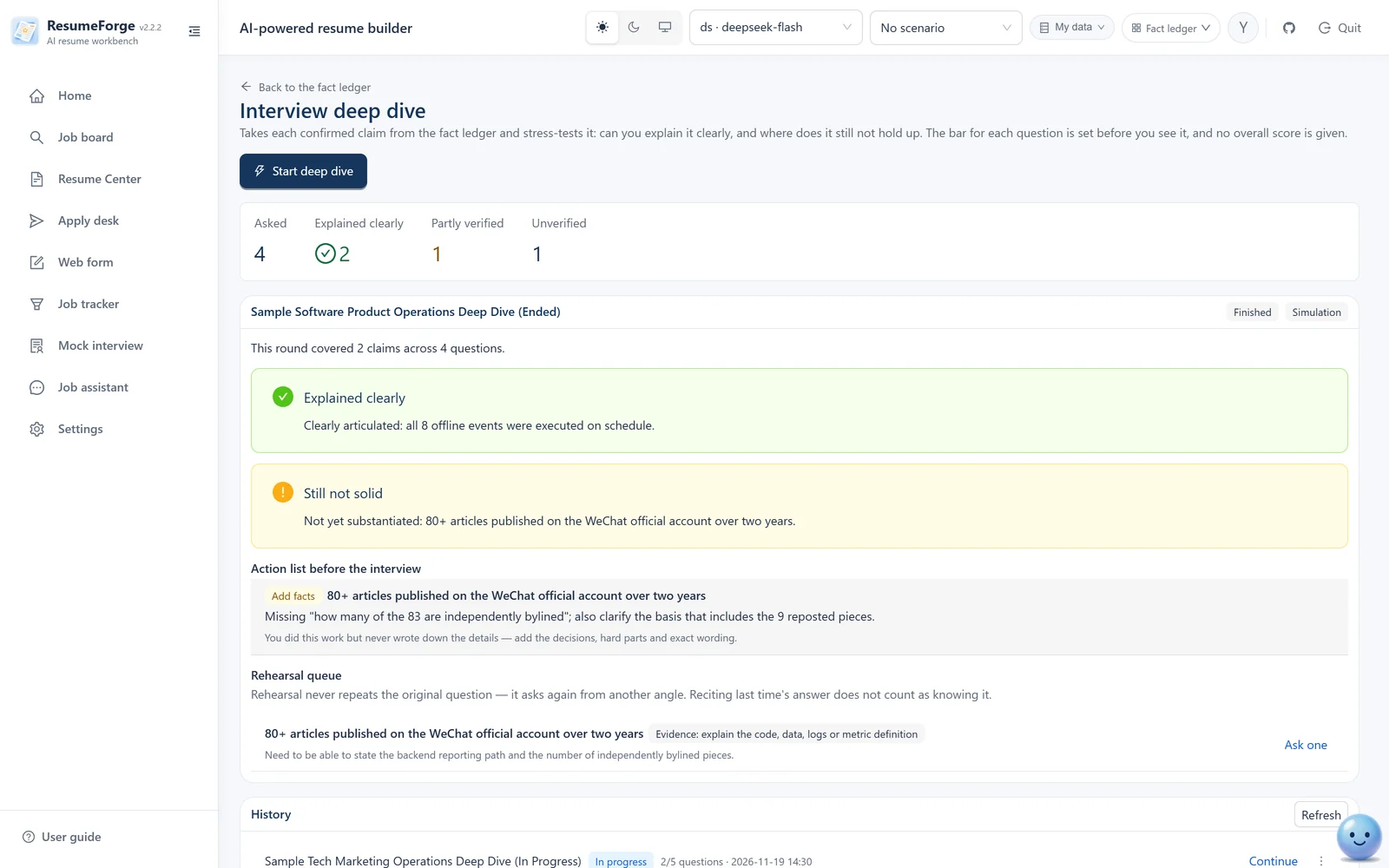
Deep-dive review: what holds up and what does not, with actions under fix the fact / learn the topic / soften the wording
05 · Apply desk
It really applies — and says so when it fails.
It drives your own browser through “greet → attach resume → submit → verify”. A gate rejects jobs whose source cannot be verified, failure categories state the real reason, and a circuit breaker stops after repeated failures — it never quietly runs in the background without you.
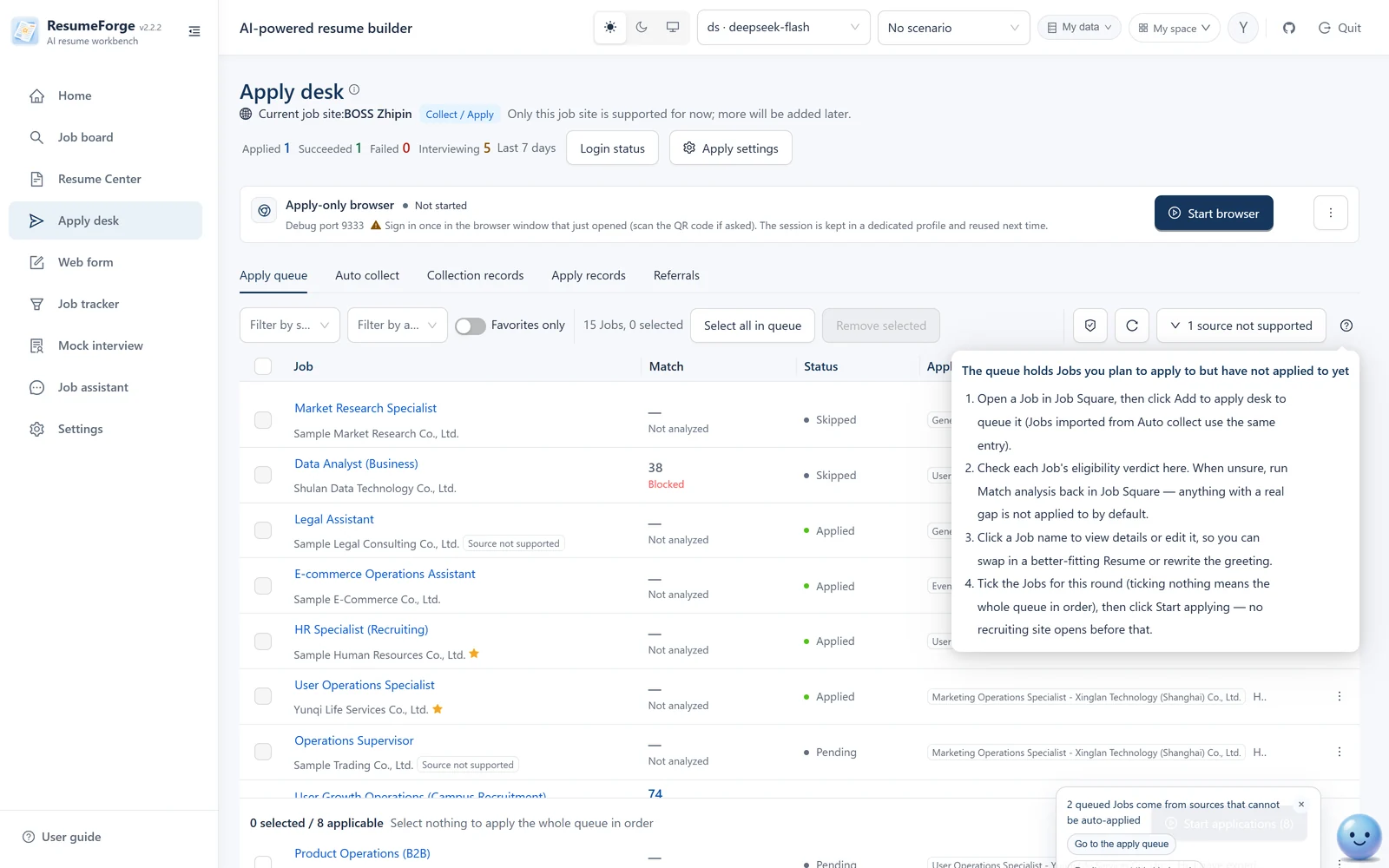
Apply desk: the four-step flow lives behind “How to use” in the top-right corner (where jobs come from / what to check / what to change / when it is really sent)
06 · Job analytics
No data, no zero-filled chart.
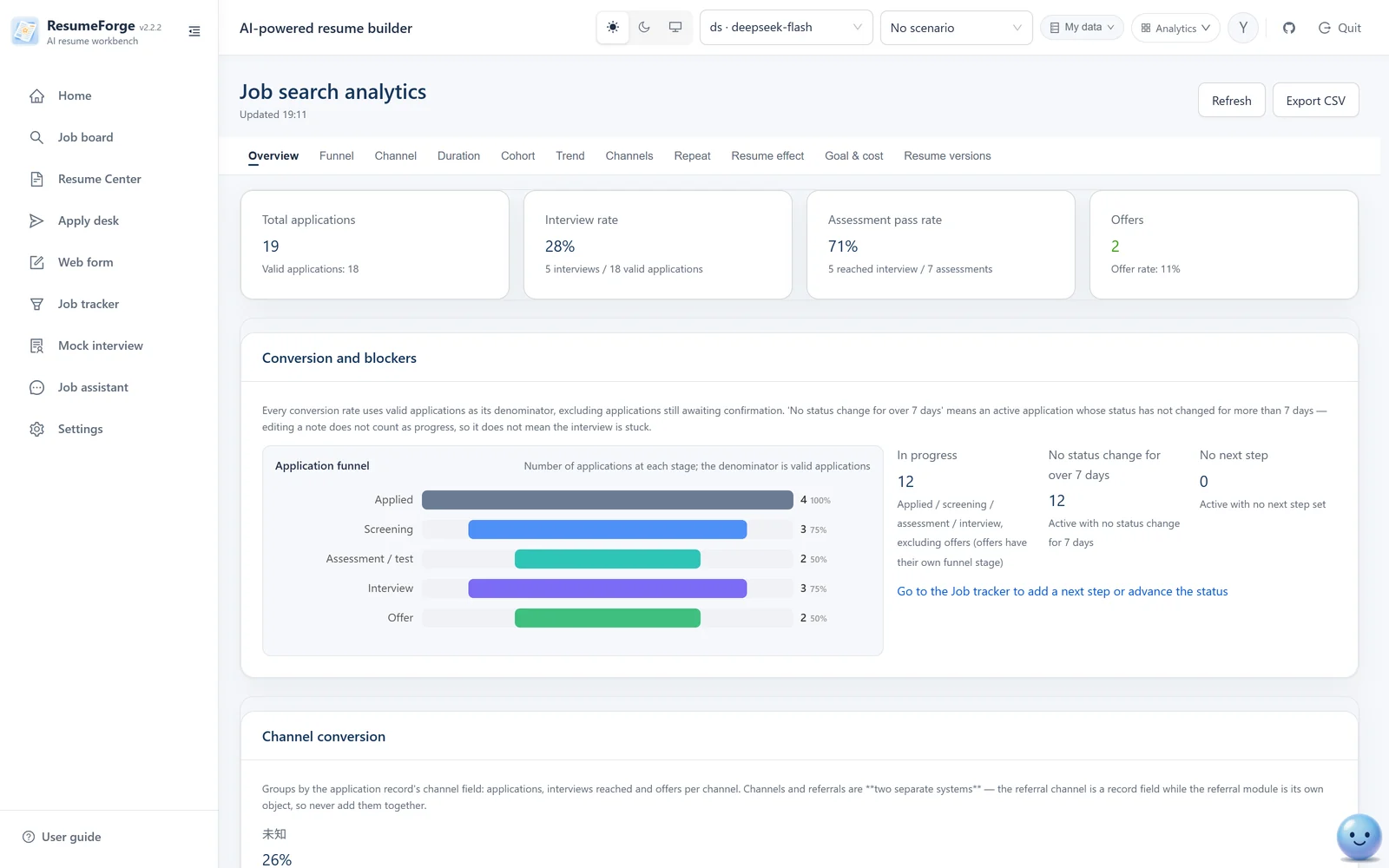
Four themes summarize the search. Records without a date are named separately instead of counted as zero; a chart with no input renders an explicit empty state; metrics that cannot be computed are not shown — no row of zeros.
Job analytics: metric cards, five-stage funnel, monthly trend and conversion rates, with missing-data caveats stated separately
07 · From resume to review
After the writing, a full round of checks and notes.
The editor includes STAR quantification, a phrasing generator, multi-style polishing, Chinese–English translation and version comparison, plus six quality and compliance checks. Export supports PDF / Word / HTML / Markdown / plain text / JSON / PNG with watermarking, one-click redaction or an offline share package; the page limit applies to the six paginated formats other than JSON, and “unlimited” really means no truncation.
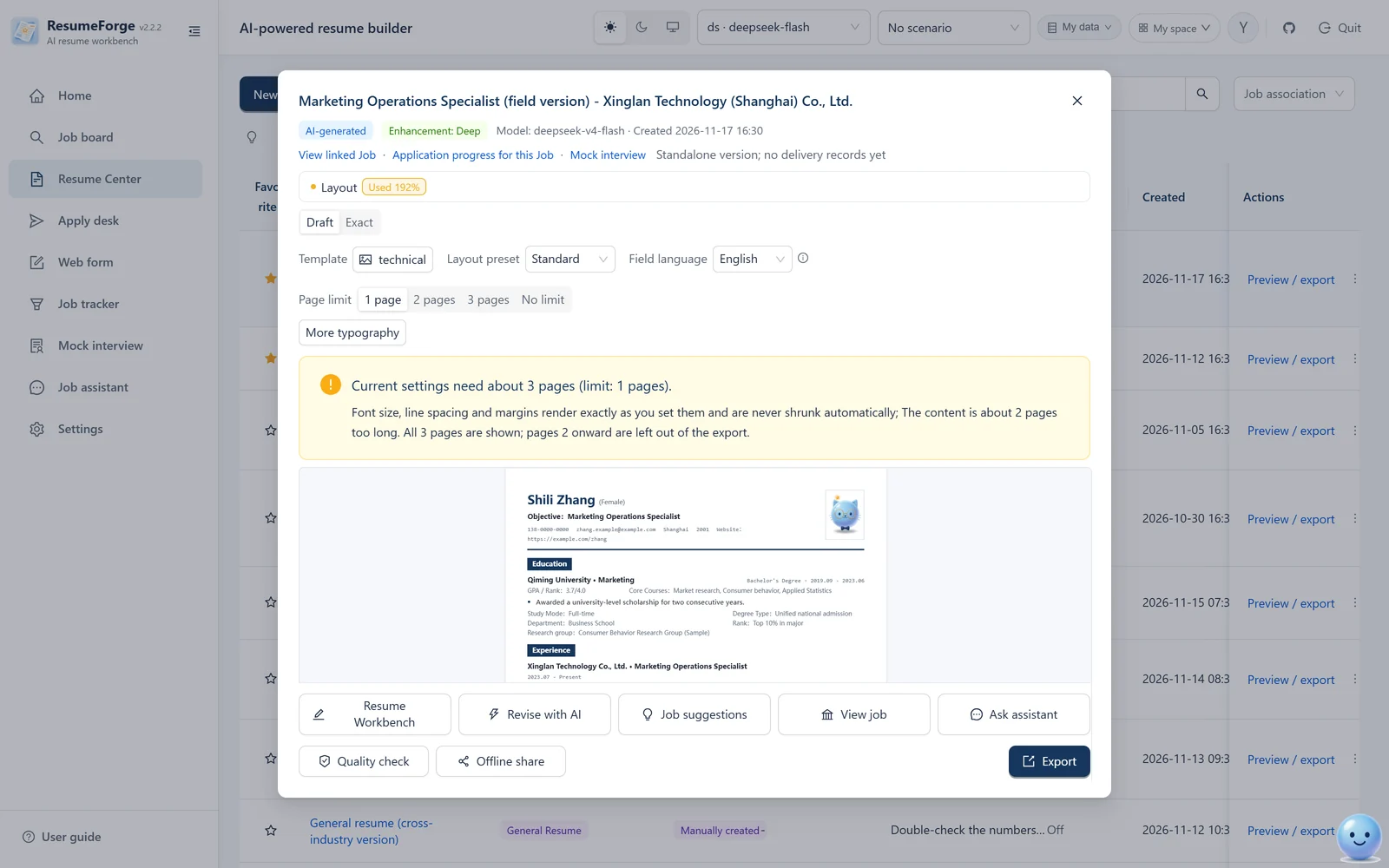
Preview & export: live A4 layout; overflow is split at A4 height and labeled “approximate pagination” — browser printing is authoritative
Workflow
Six steps from a blank page to something you can send.
You do not need to learn a methodology first. Follow the order once and you end up with a resume you can explain — and defend.
1
Organize your profile and the fact ledger
Fill in education and experience once (paste a resume, or upload a PDF/DOCX for extraction); then record the claims you want to use, with ownership level and personal boundary.
2
Bring jobs in
Auto-collect, paste text, drop screenshots or upload documents. Collected jobs land in a staging area first; you choose what enters the job board.
3
Decide whether it is worth applying
Run one match analysis: five kinds of conclusions check every requirement against the original JD text and give an apply / do-not-apply recommendation, so a job that fails a hard requirement is dropped early. Before applying you can also research the company and the role: source cards plus a brief with numbered citations show what the company has been up to.
4
Generate or write the resume
Pick an enhancement level and a page budget, then let the AI stream a resume (the fact baseline is the confirmed ledger entries), or write it yourself; writing enhancers, quality checks and version comparison all live on the editor page.
5
Preview, fine-tune, export
Confirm the layout in the A4 preview; the layout report tells you whether the page is sparse or tight. Set the limit to 1 / 2 / 3 pages or unlimited; when content overflows, “fit to one page” tightens it step by step. A resume with [TODO] markers is blocked.
6
Apply, follow up, prepare for interviews
The apply desk queues and applies; the tracker owns every step after sending; reminders keep the next action visible; mock interviews and deep-dive sessions expose what you cannot yet explain.
A look at the app
See every screen up close.
Everything below is a real screenshot of the running app; the data is a fictional sample. 32 screens cover the full path from finding a job to reviewing an interview.
Home workspace
Shortcuts can be toggled on or off and restored to defaults in one click; reminders are colour-coded by overdue / within 24 hours / within 3 days, and can switch to a calendar.
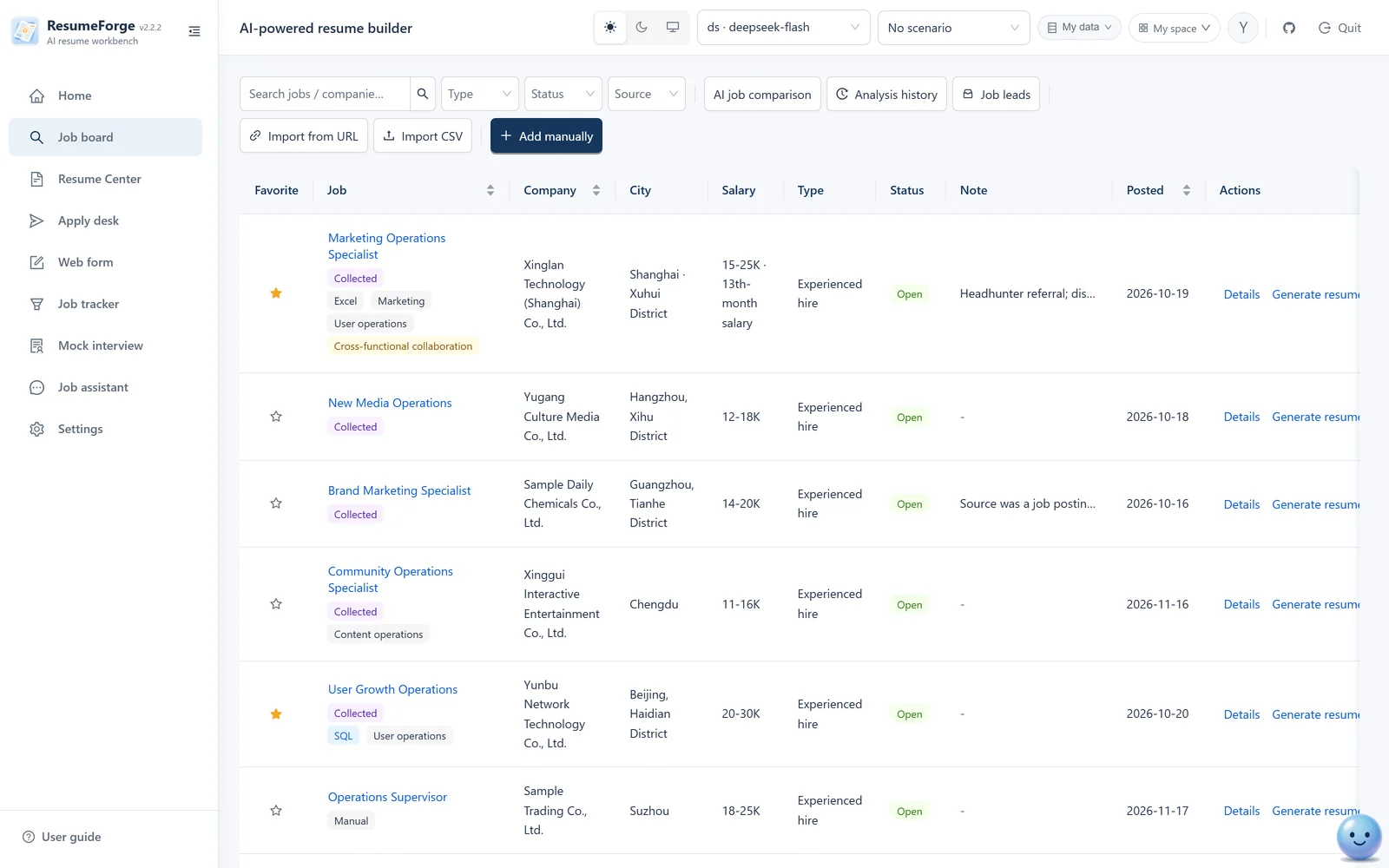
Job board
Skill tags are extracted on save; each row opens details, generation, writing or related resumes; status changes and deletion work in bulk; jobs with an empty JD can be filled in with one click.
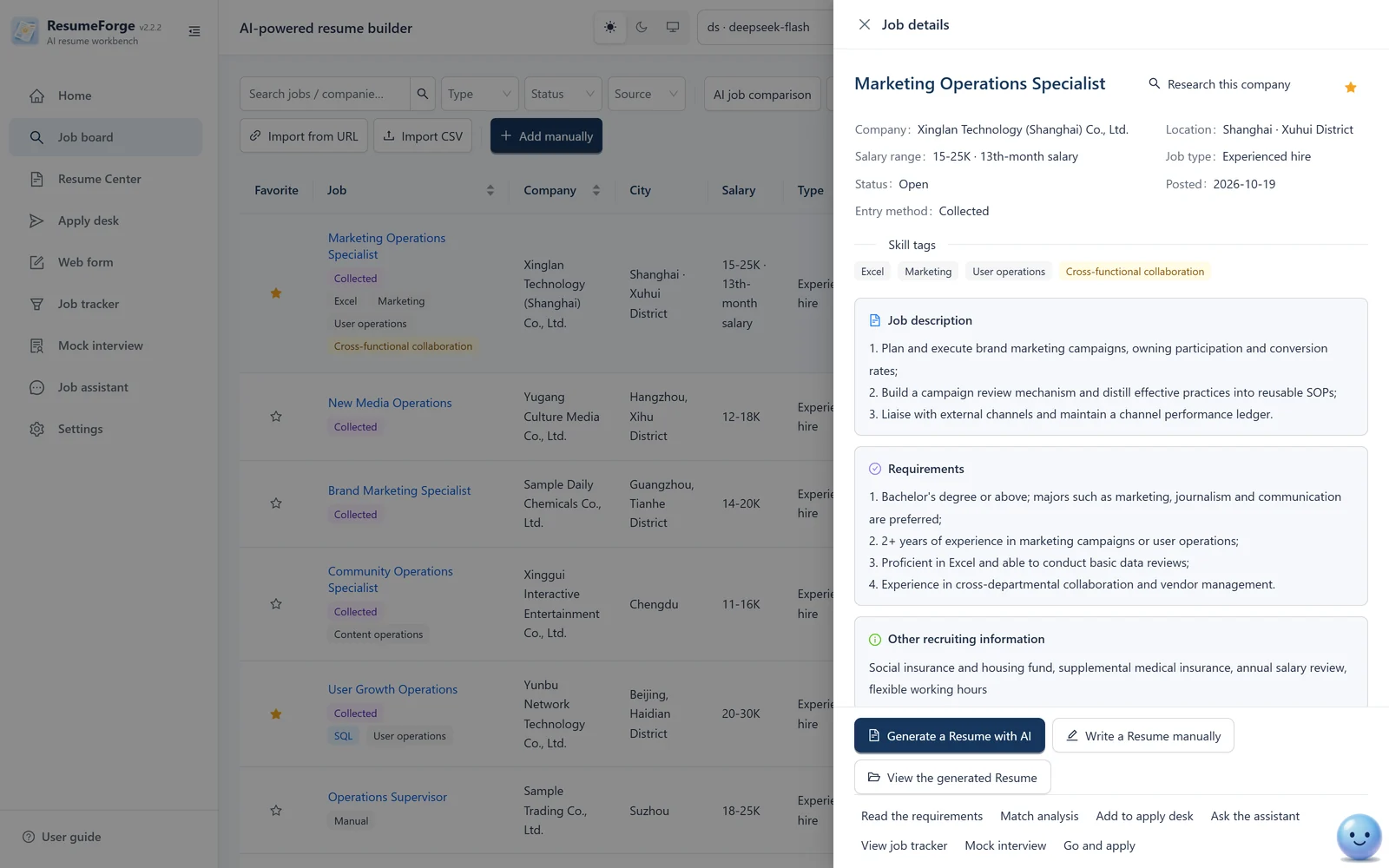
Job details
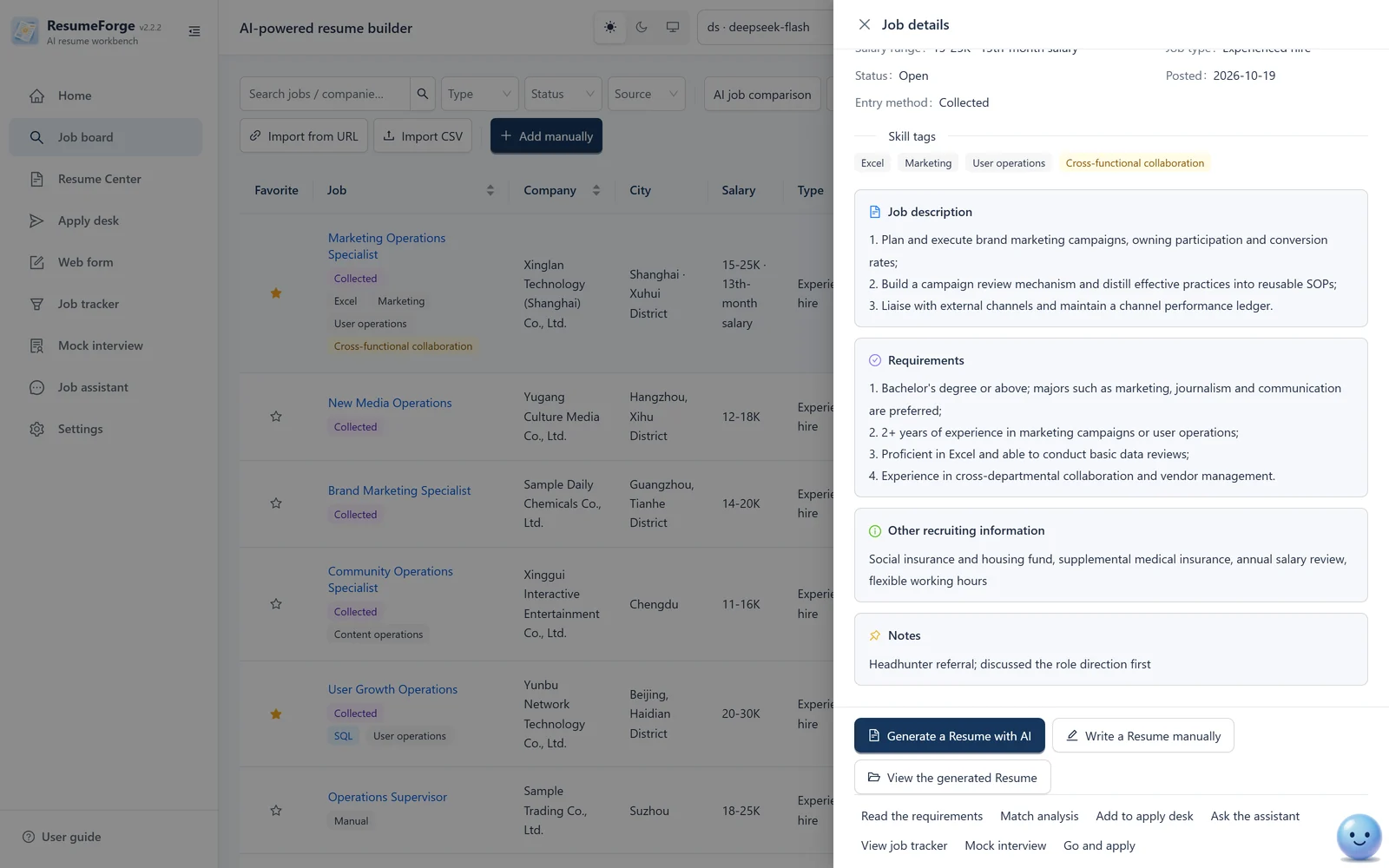
The JD is split into description, requirements, other information and notes; the bottom actions jump straight to generation, match analysis or the apply queue.
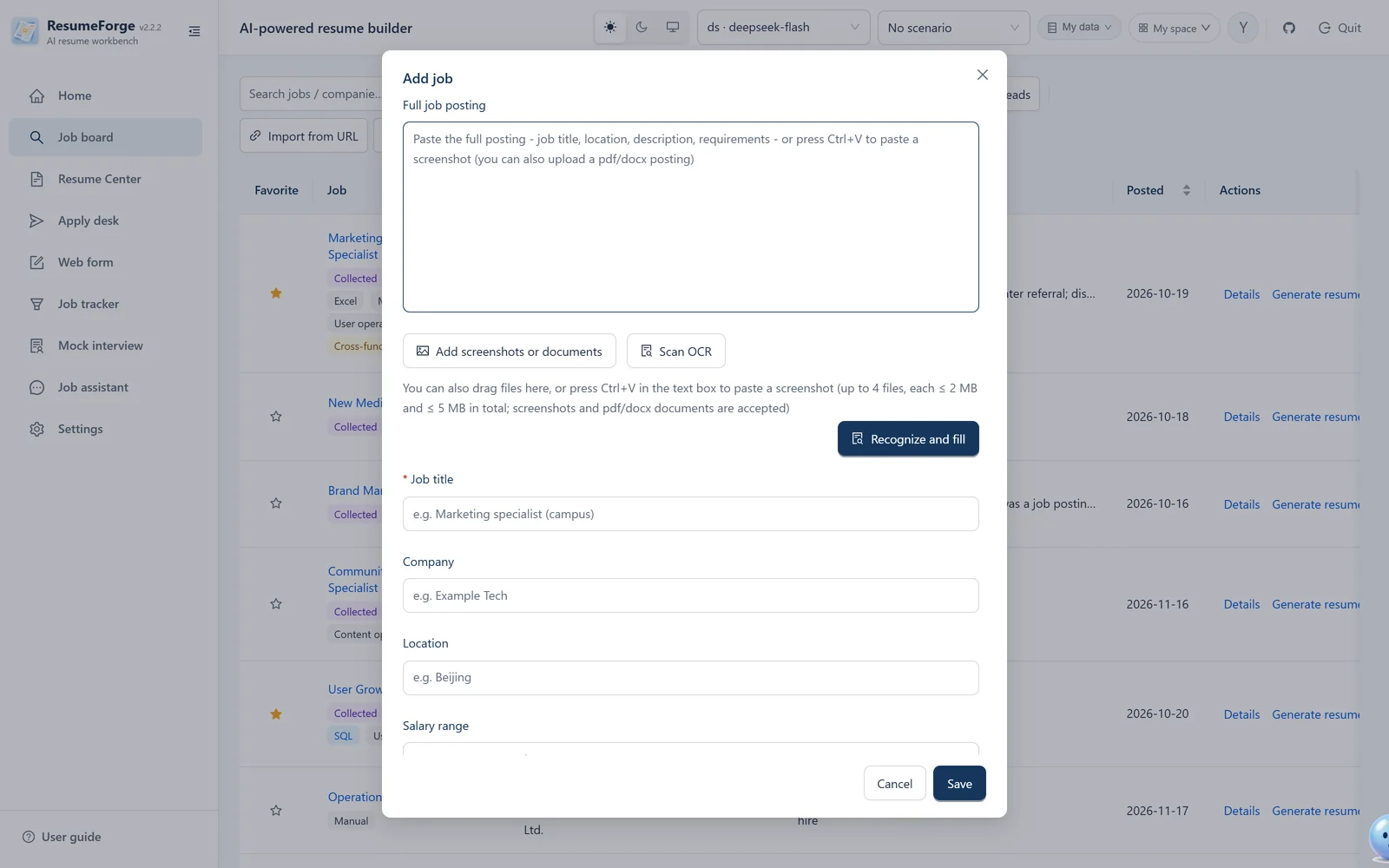
Add a job
Paste the original text, press Ctrl+V for a screenshot, or upload a PDF/DOCX — documents are extracted locally. The result becomes an editable draft, and the source label stays on the record.
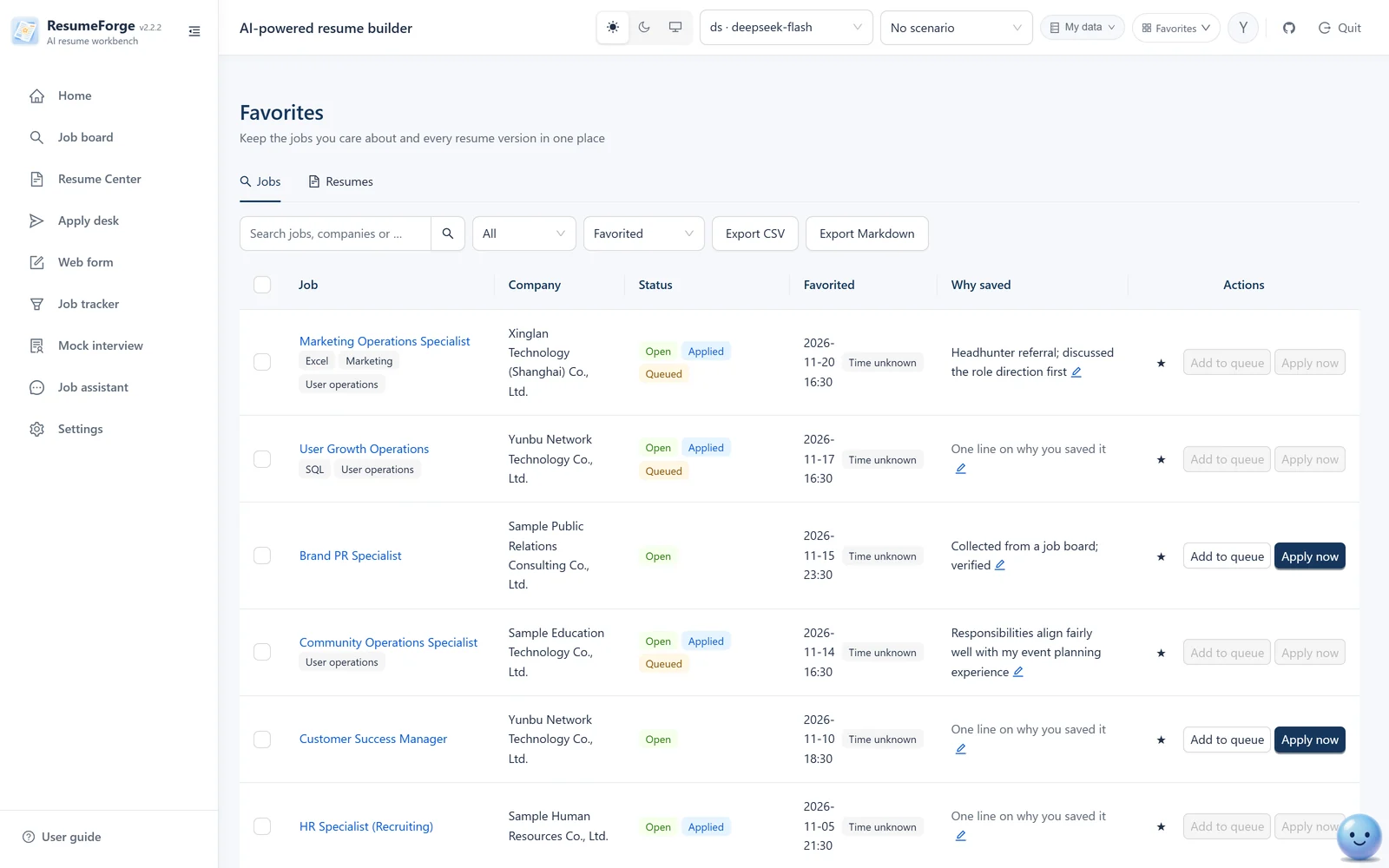
Favorites
Favorited jobs and resume versions in one paged view; open details or remove a favorite directly.
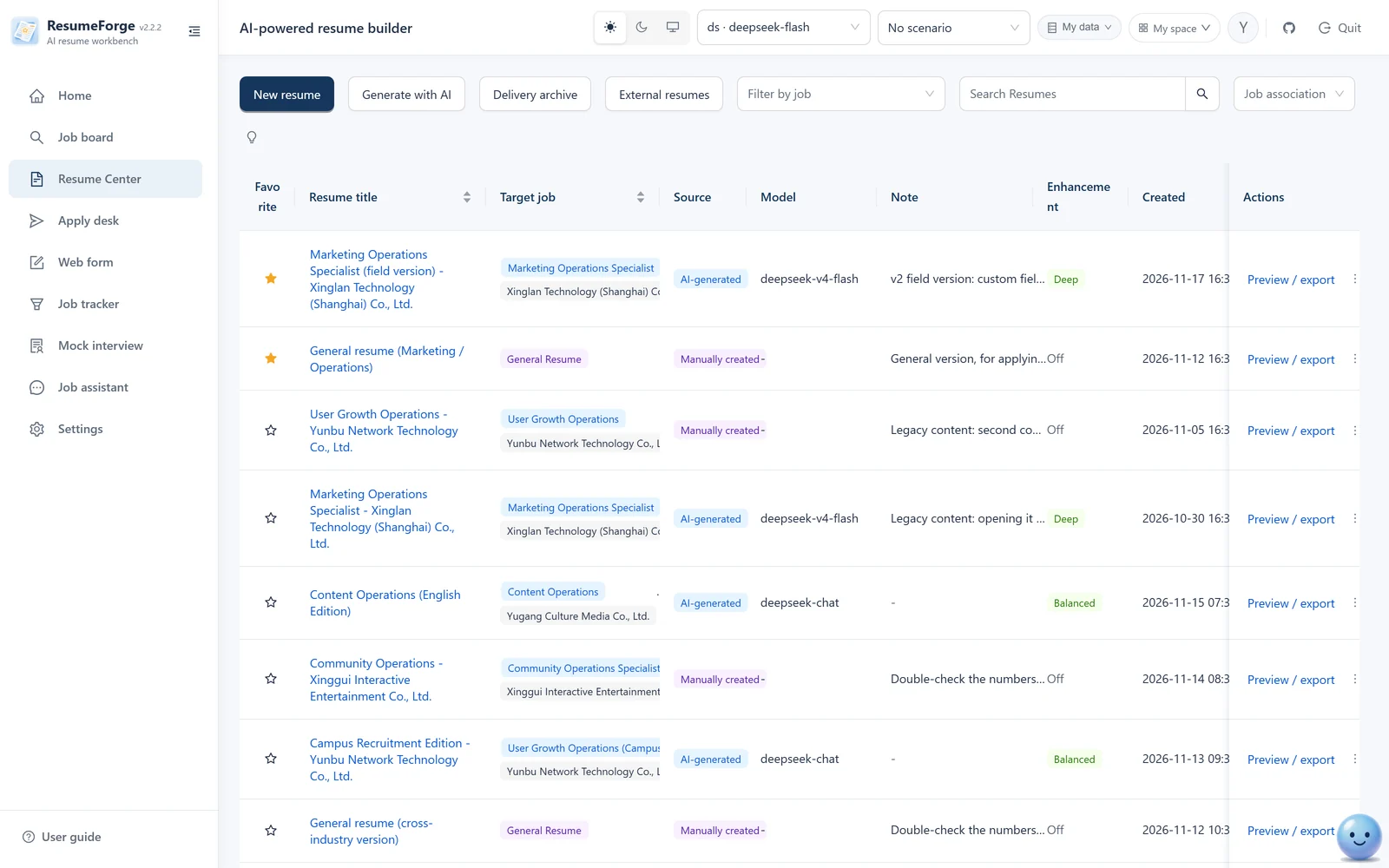
Resume center
Both AI-generated and hand-written resumes live here, labeled with source, model, enhancement level and target job; favorite, annotate, and filter by favorite or linked job.
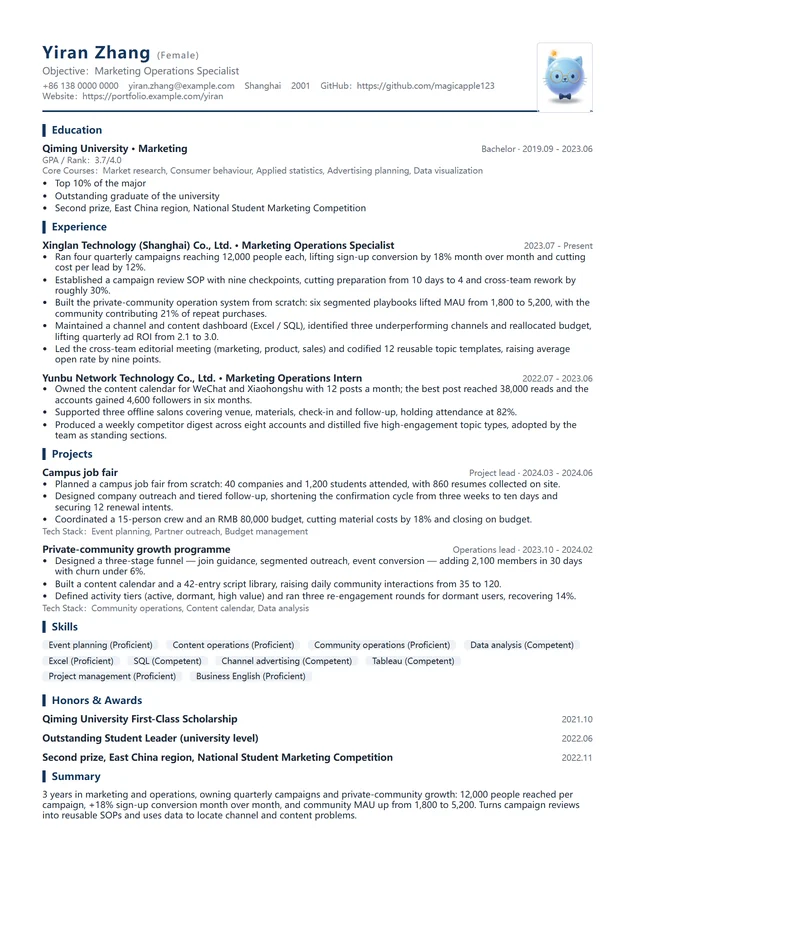
Preview & export
Layout diagnosis shows how much of the page is filled and the order to fix things in (reorder → structure → spacing and type size → trim → add pages); when content overflows, Auto one-page tightens step by step, or choose Unlimited for no cap. Export offers watermark and redaction; with a page cap set, PDF / Word / HTML / Markdown / plain text / image (PNG) are all trimmed to the same limit, and the export says which block was left out.
A4 output
This is the HTML actually rendered by the server — the same file you get from “Export HTML”, not a mock-up. PDF can also be downloaded directly, without browser printing.
Apply desk · queue
The top bar names the job site you are connected to; the four-step flow now lives behind “How to use” in the top-right corner and expands once on first visit. Every job carries an eligibility verdict and the resume it uses; you can pick the applying browser, and the browser status honestly distinguishes “opened by this app” from “your own window”.
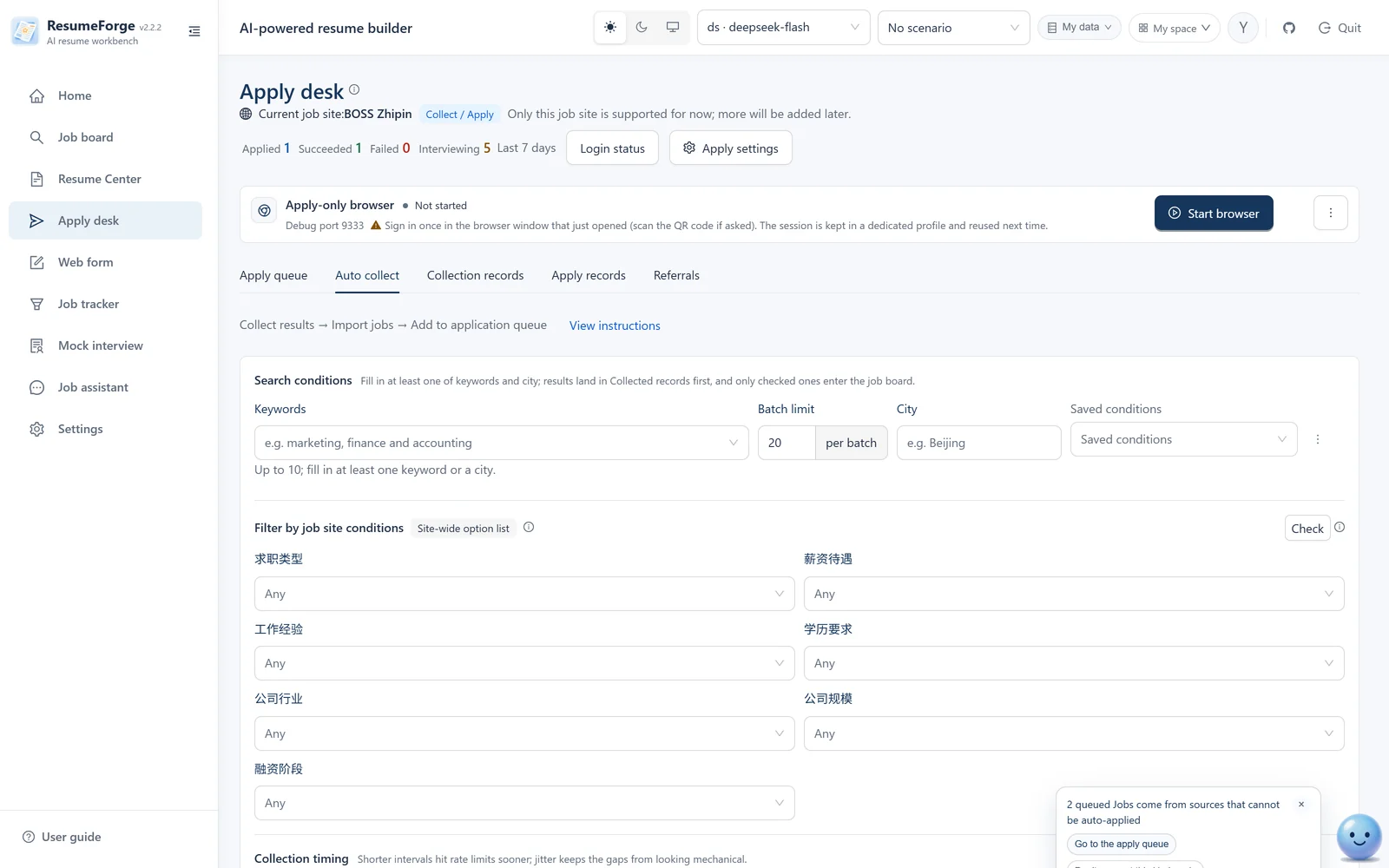
Apply desk · auto-collect
Collect by keyword and city, or use the job site's own filters (job type / salary / experience / education / industry / company size / funding stage); conditions can be saved and refilled.
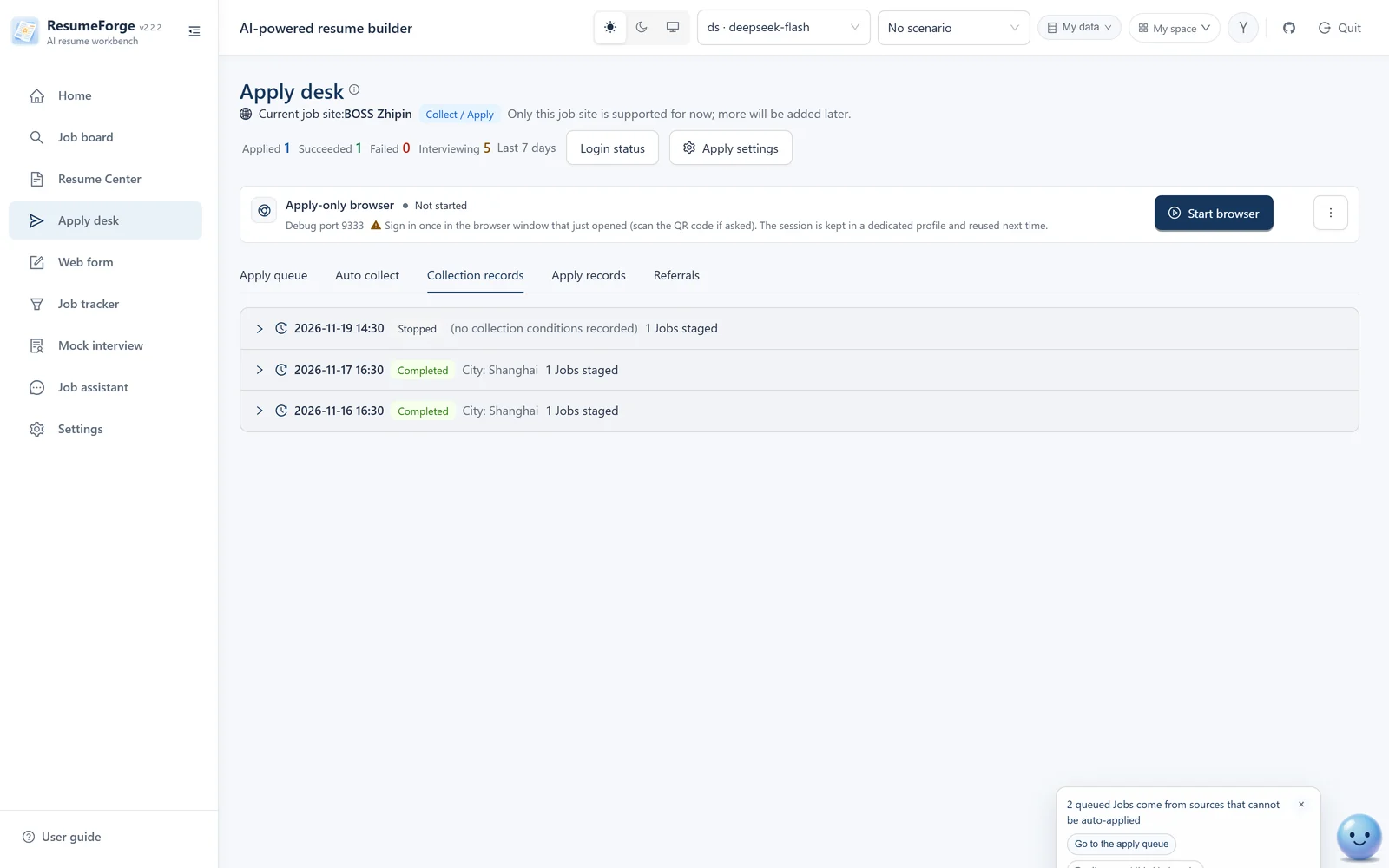
Apply desk · collection log
Every collection keeps its conditions and results (staged / duplicate / failure reason); expand it to import selected jobs into the board.
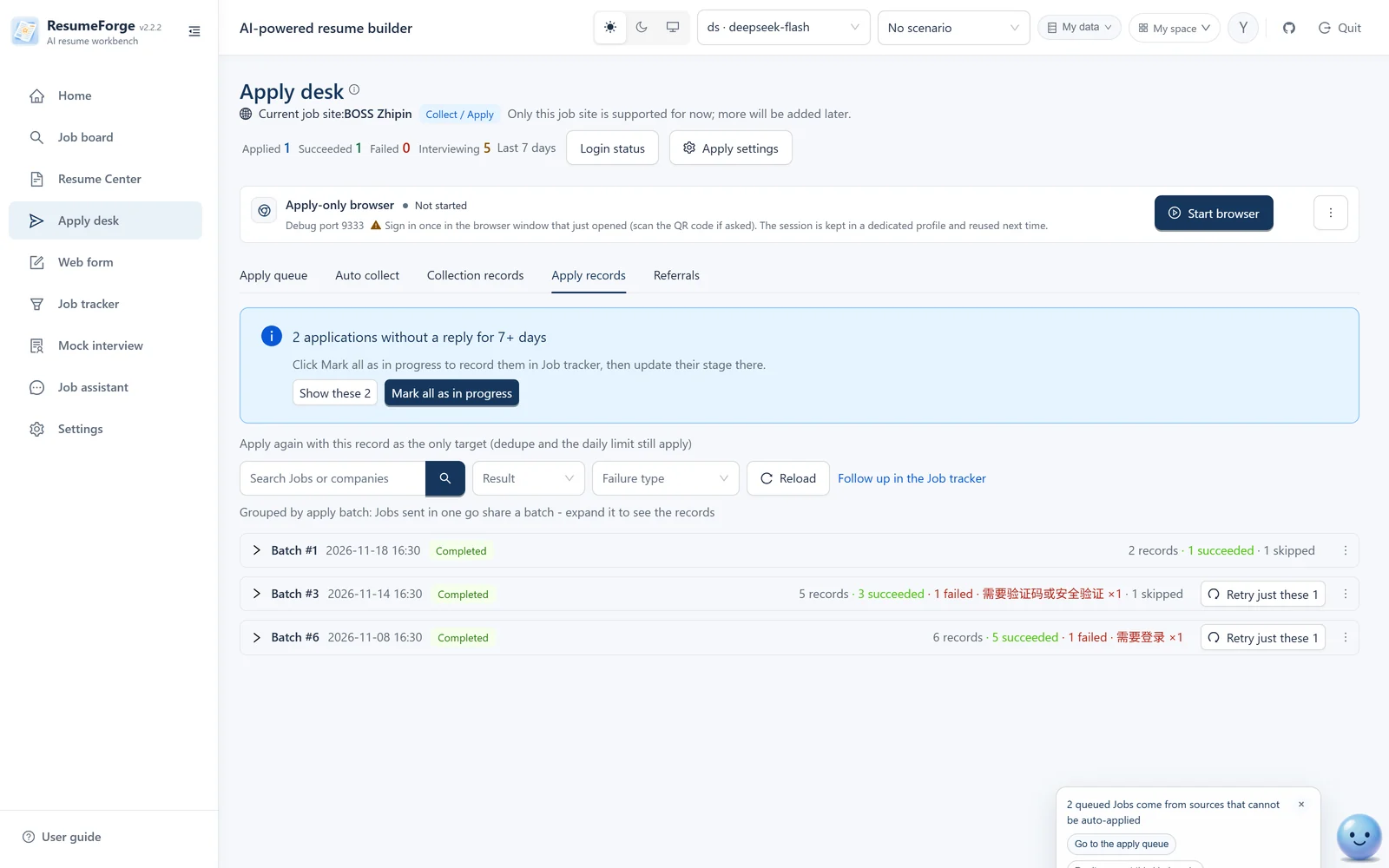
Apply desk · application records
One “start applying” run equals one batch, collapsed into a group with batch statistics and status; failures state the real reason and page, and can be retried.
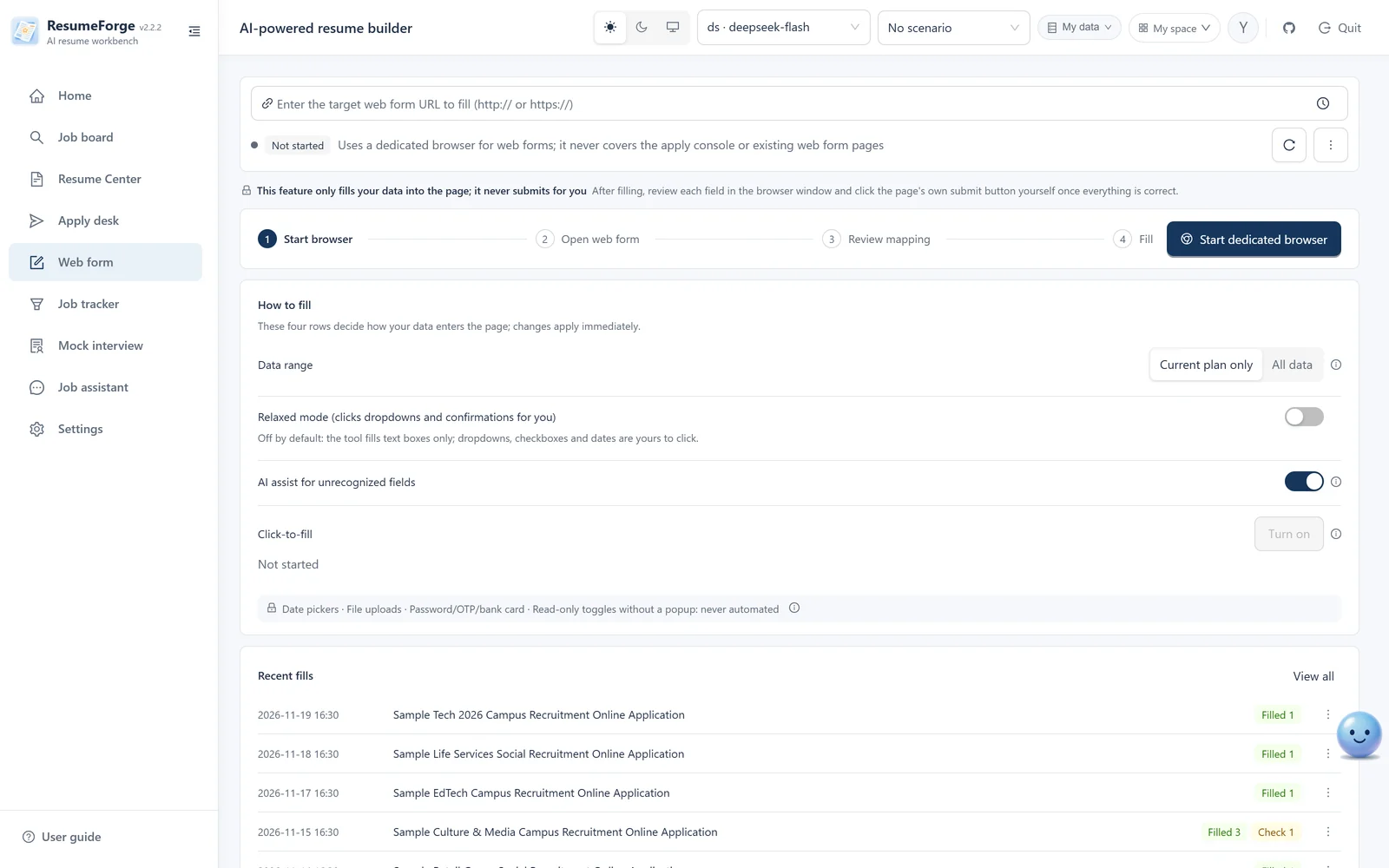
Web form
A dedicated browser opens the company's web form, reads the whole page, lets you verify line by line and then fills it; it writes into text fields only, never submits, reports the real success rate, and keeps a fill log.
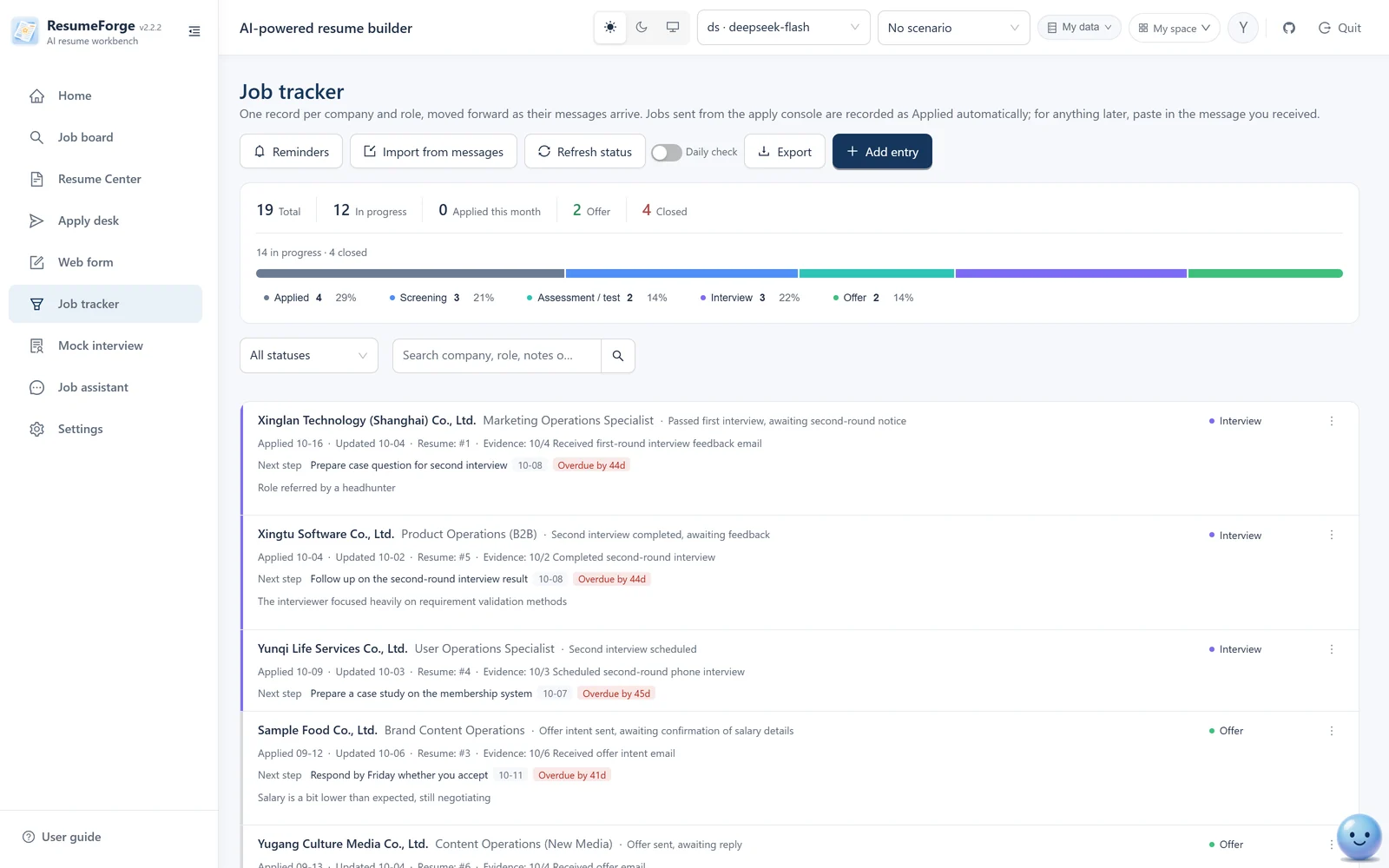
Job tracker
One record per company and job, moving “applied → screening → assessment → interview → offer”; status only moves forward (except rejection), and every record keeps its evidence note.
Job analytics
Conversion and blockers, timing and rhythm, channels and destinations, resume and health — four themes; trends cover 1 / 3 / 6 months or one year, and records without a date are listed separately.
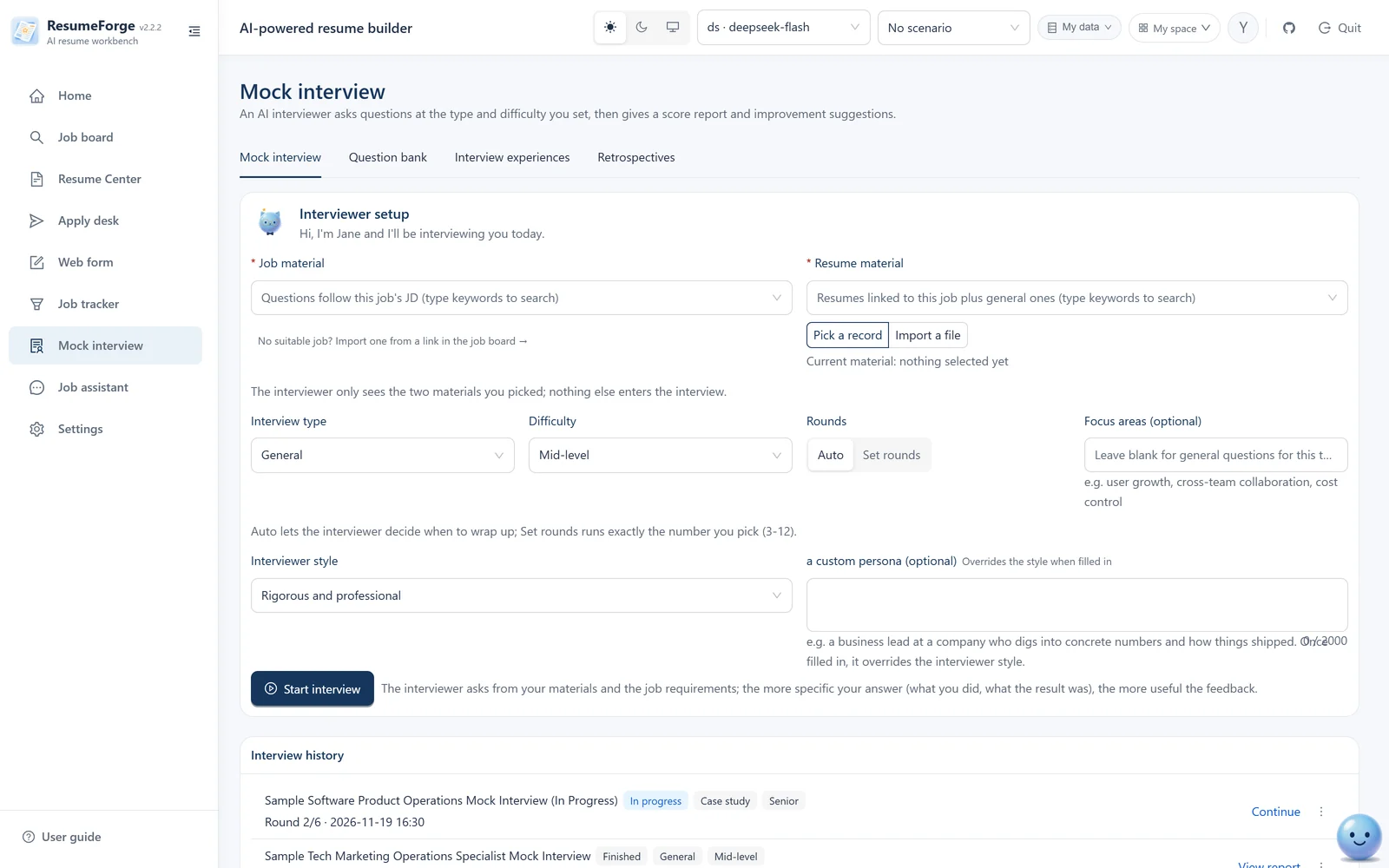
Mock interview
Set the job, type (eight kinds), difficulty, interviewer style and rounds; answer and get follow-ups, then a final score, dimension scores and improvement advice.
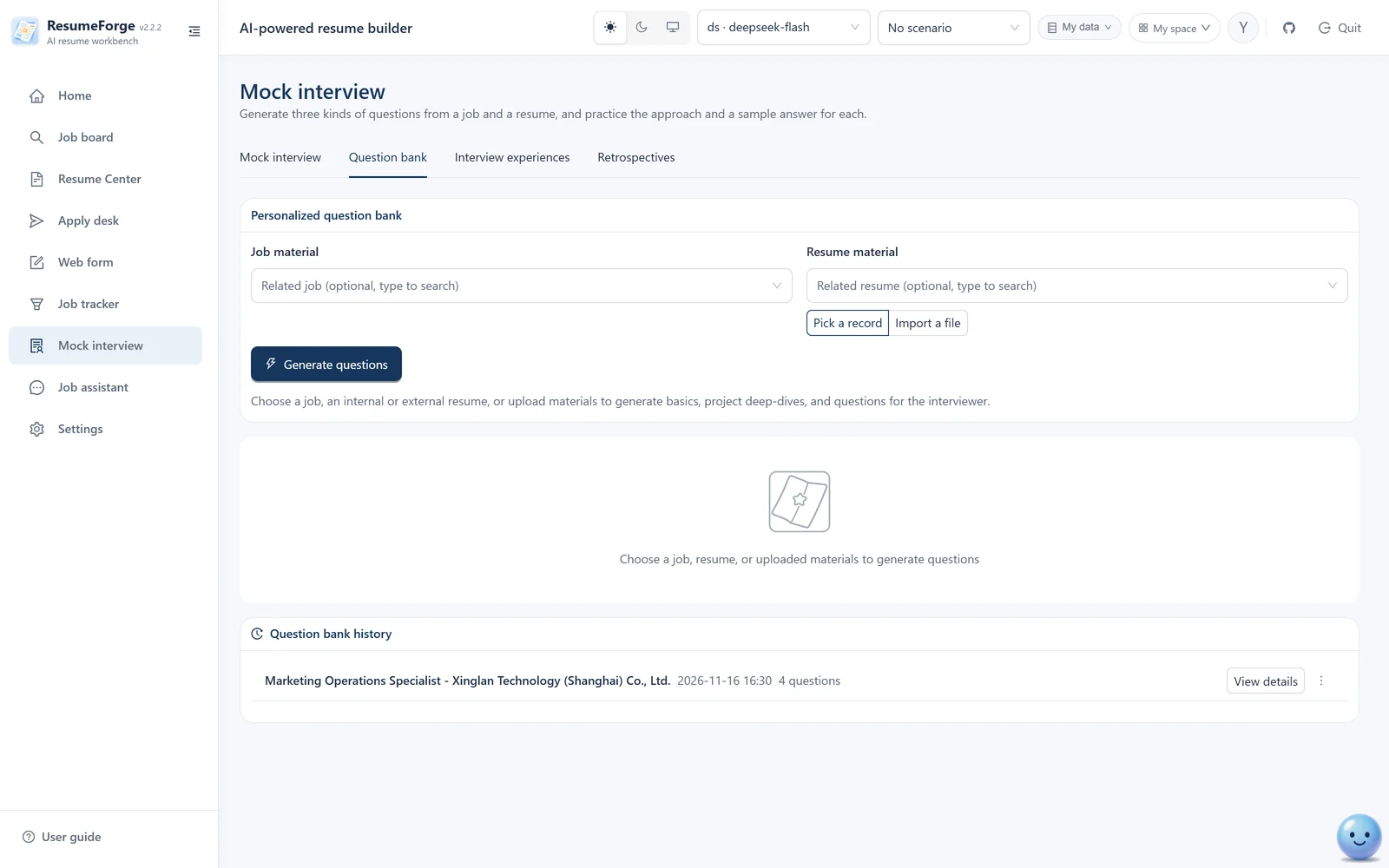
Question bank
Generate basic, project-deep-dive and ask-the-HR questions from the linked job and profile; generate a detailed answer for a single question; results are saved to history and restore completely.
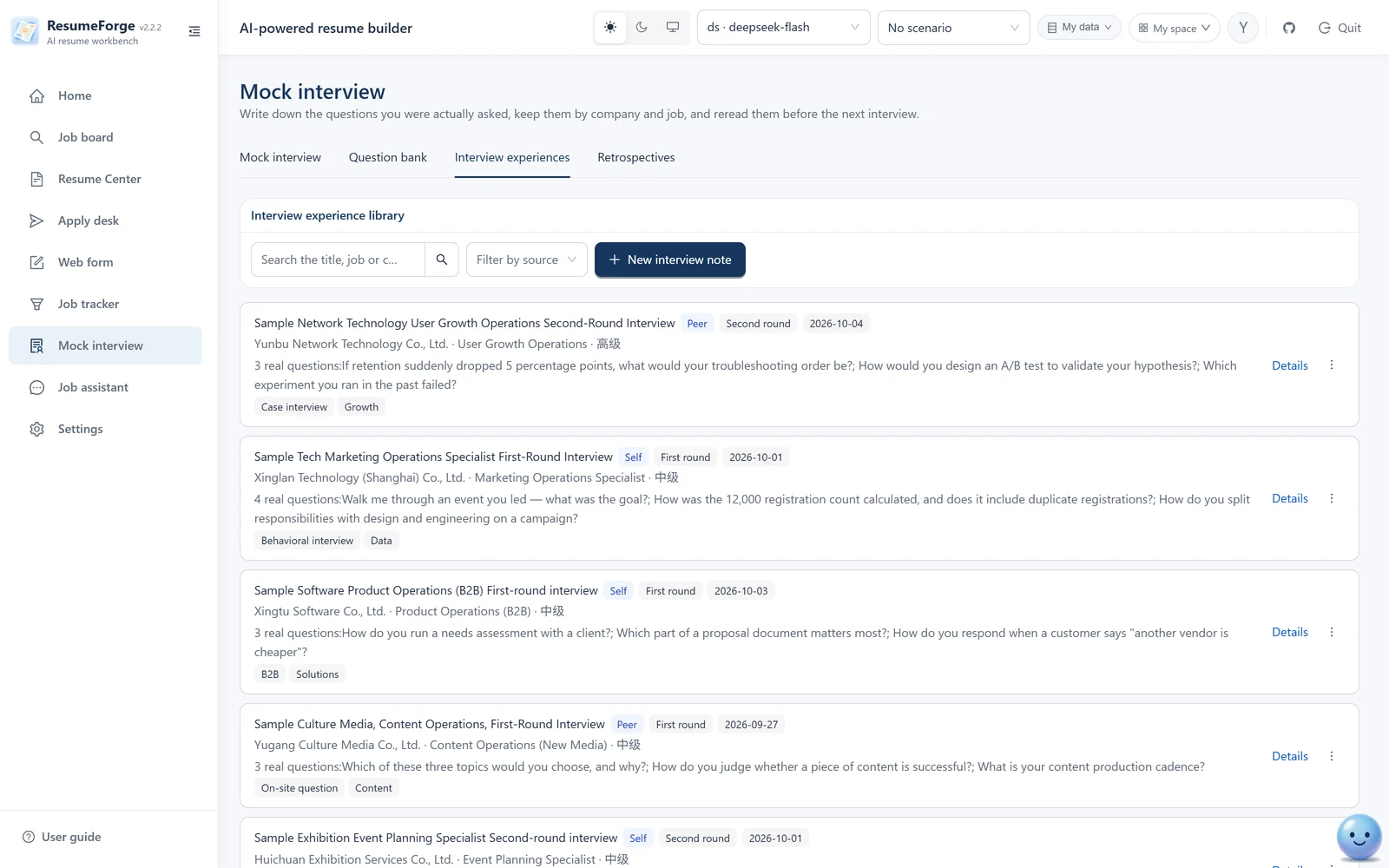
Interview experiences
Record real interviews — company, job, questions, review — tagged by difficulty and round; click a card to read the full question list.
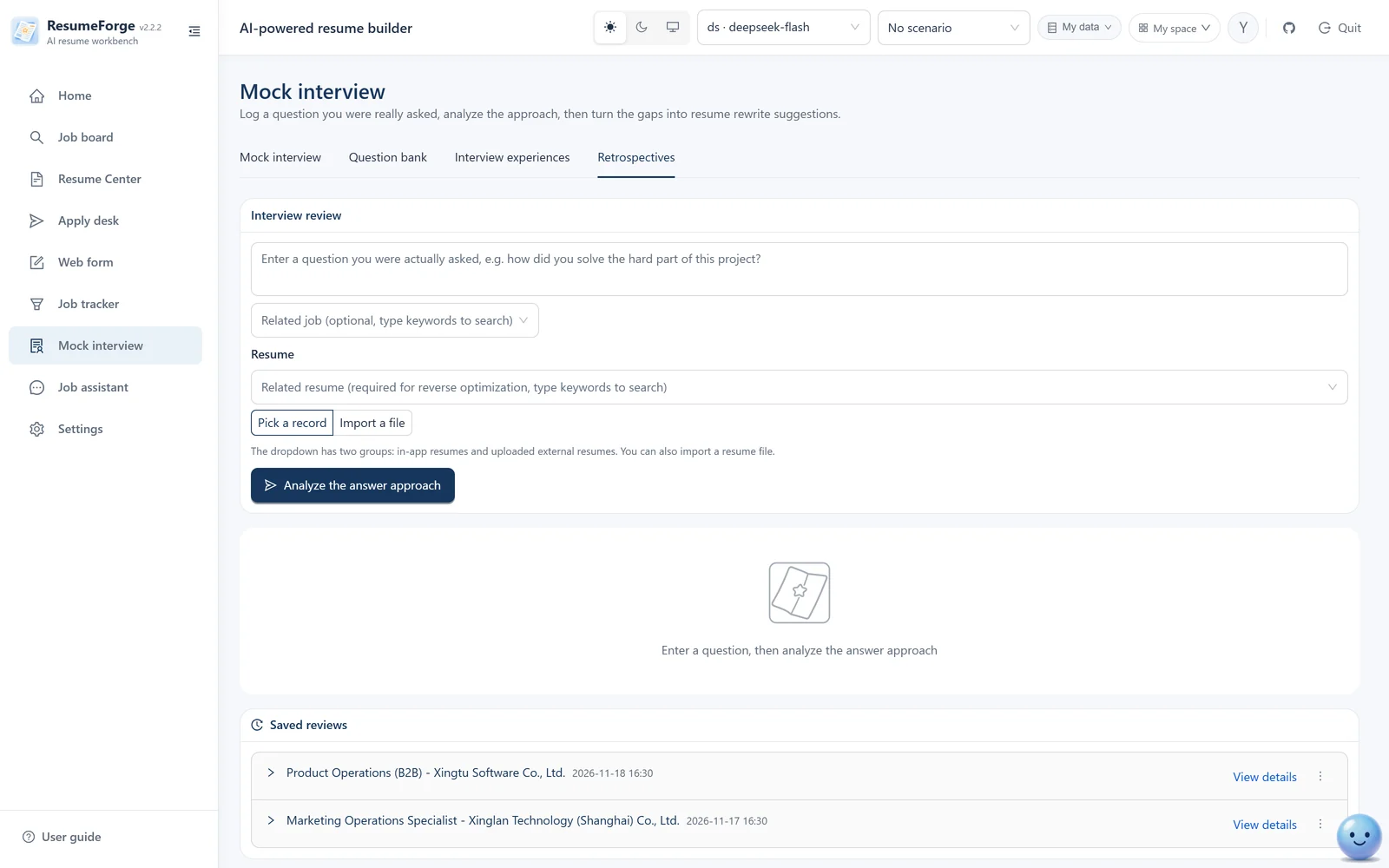
Interview review
Enter real interview questions → the AI analyzes answer structure, likely follow-ups and common mistakes → reverse-engineer resume suggestions (advice only; you decide what to change).
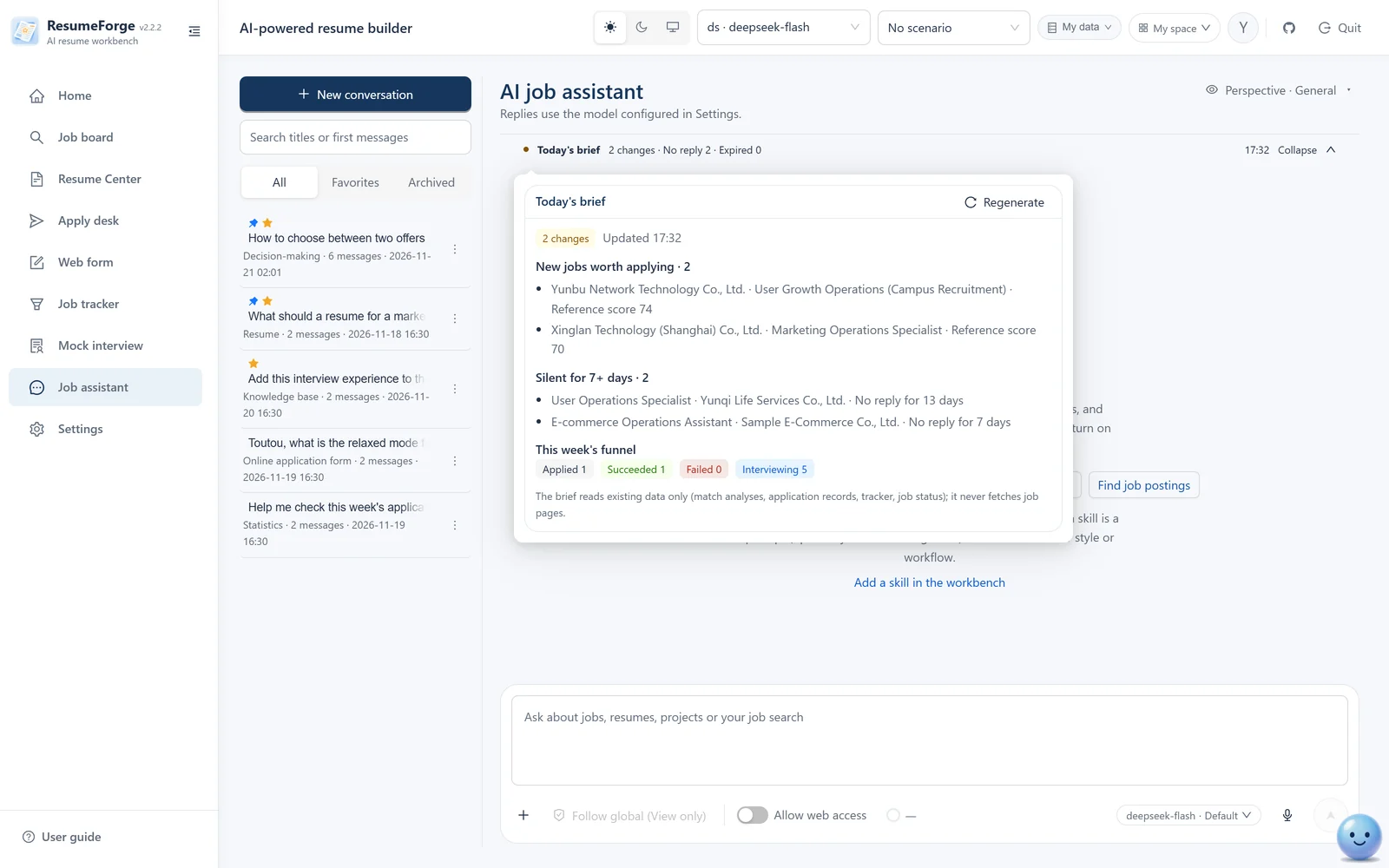
Job assistant
Familiar with the interface and the database: it can read reminders, referrals, interview notes, question-bank history, reviews, the knowledge base and analytics, and it also sees web-form fill records and past page URLs, batch match-analysis records and queue state on the apply desk. It writes only when explicitly asked and can never delete anything — nor does it start captures or applications for you; those two steps are yours to click. [source N] in its answers links to the original passage.
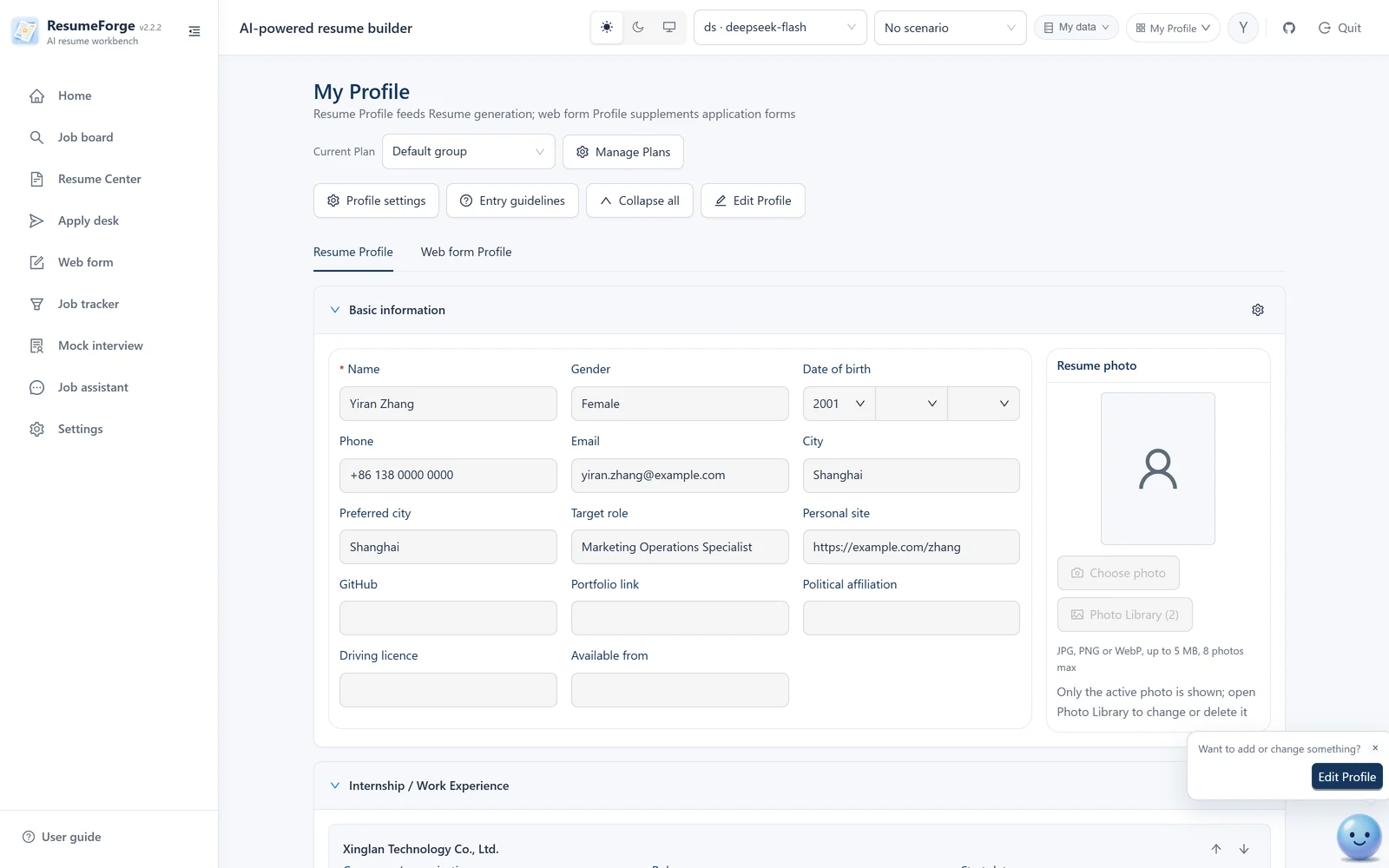
My profile
Basic information, education / work / campus / project experience, skills and awards are kept in sections, expanded by default (collapse one by its title, or expand/collapse all from the header); each experience can carry a Markdown/TXT summary; up to 8 photos, and photos are never sent to the model.
Fact ledger
Each claim records raw fact, resume wording, ownership level and boundary; verification status decides whether it may enter a formal resume; “start a deep dive” starts a stress test.
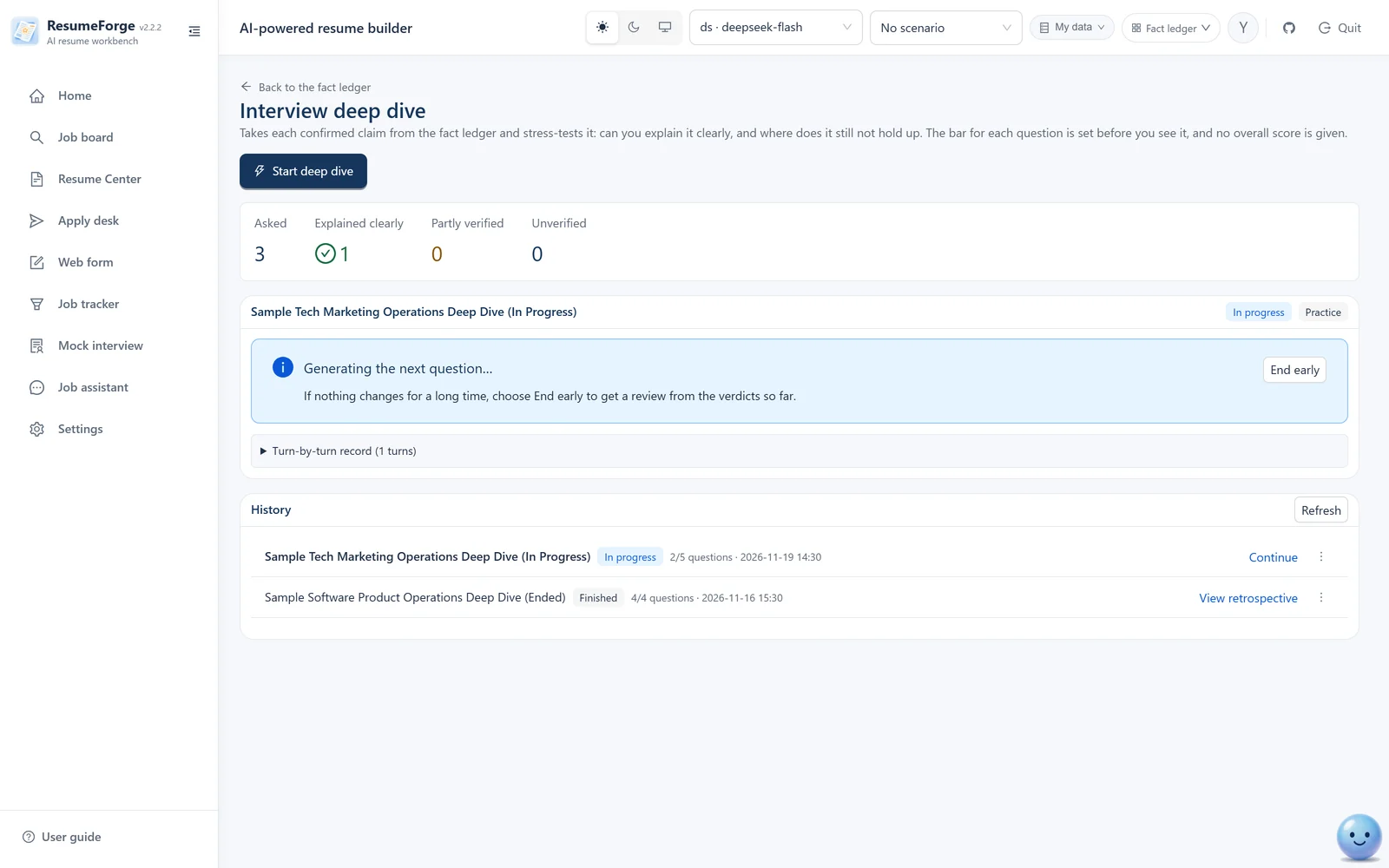
Interview deep dive
Confirmed claims are stress-tested one by one; switch between “real simulation” (review at the end) and “training mode” (feedback after each question).
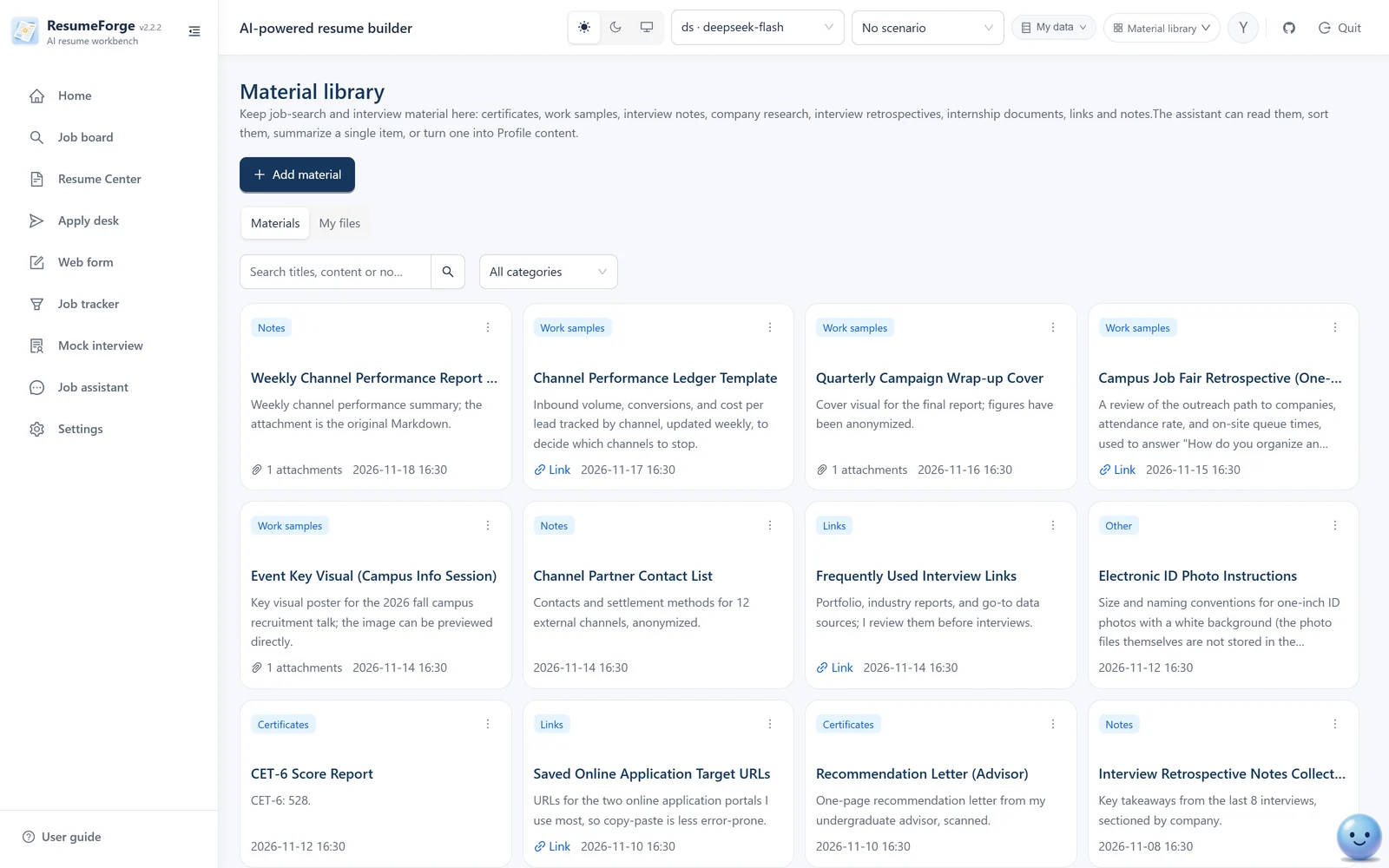
Material library
Certificates, works, links, notes, internship and campus materials in one place, with attachments; click a card for the full text and attachment list.
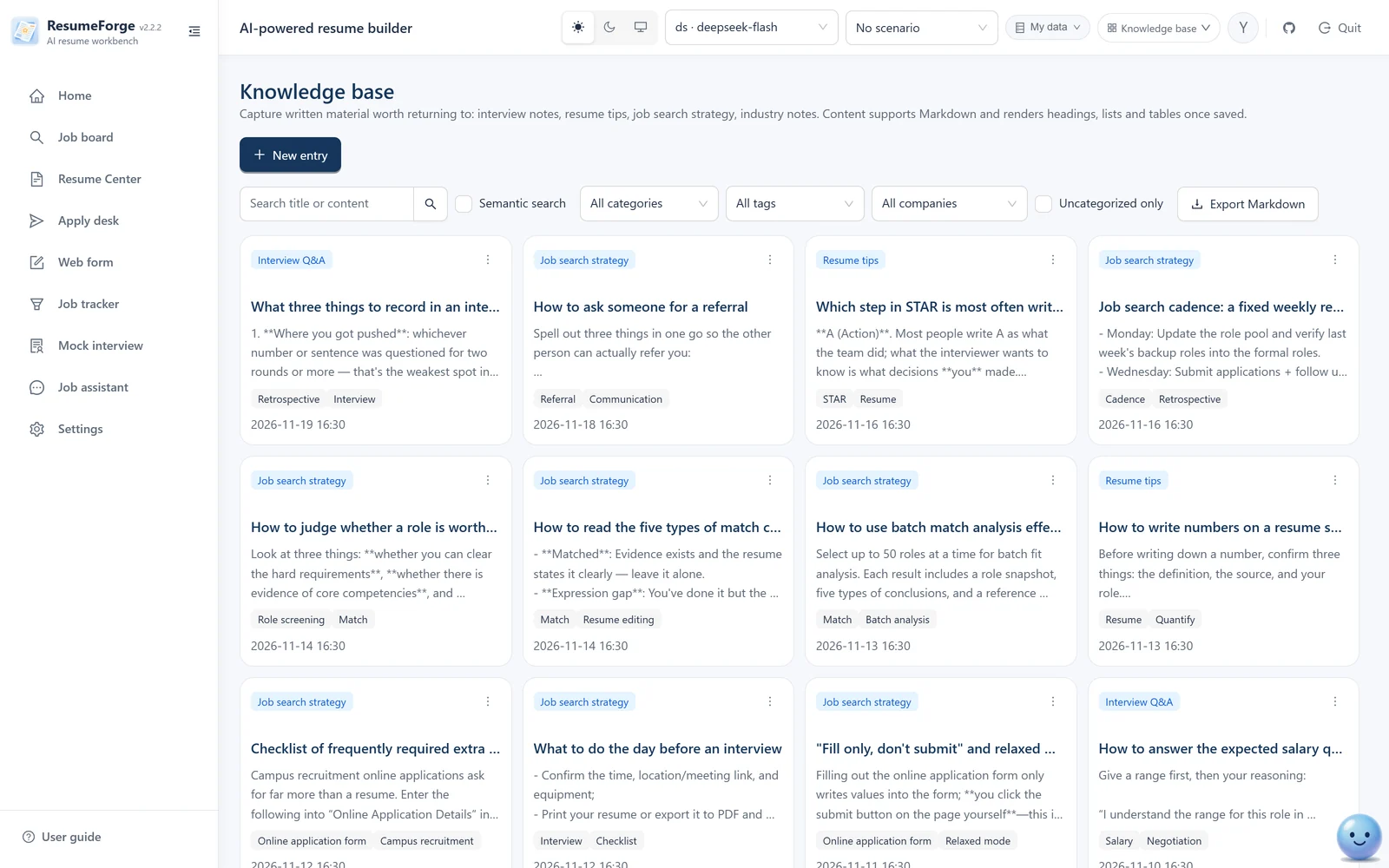
Knowledge base
Written notes live here: interview summaries, resume tips, Q&A, company info, industry knowledge; categories and tags, Markdown body, searchable and editable by the assistant.
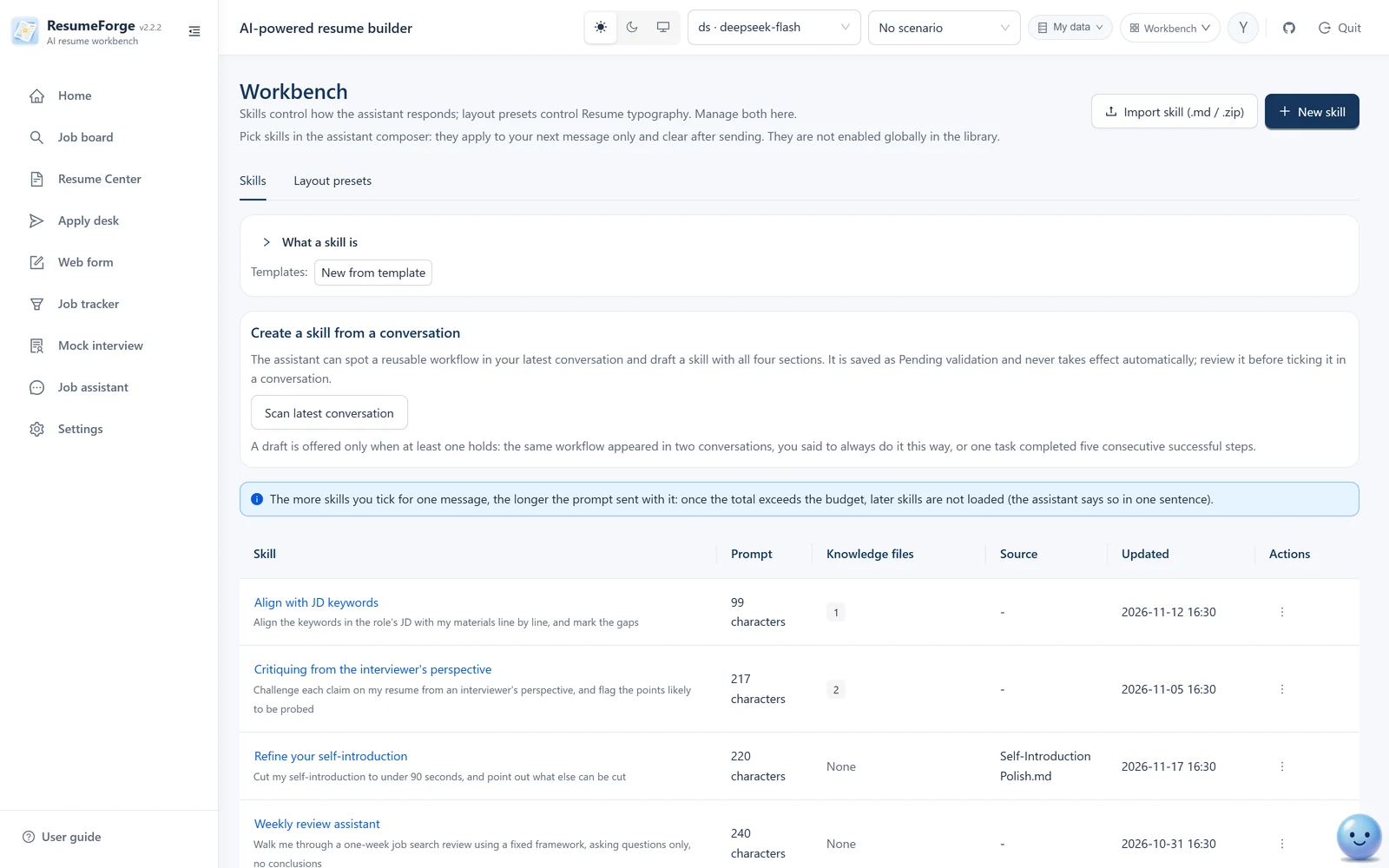
Workbench · assistant skills
Create a skill from scratch or import one (prompt plus knowledge files); once enabled it constrains the assistant's style, and the assistant can also revise it for you.
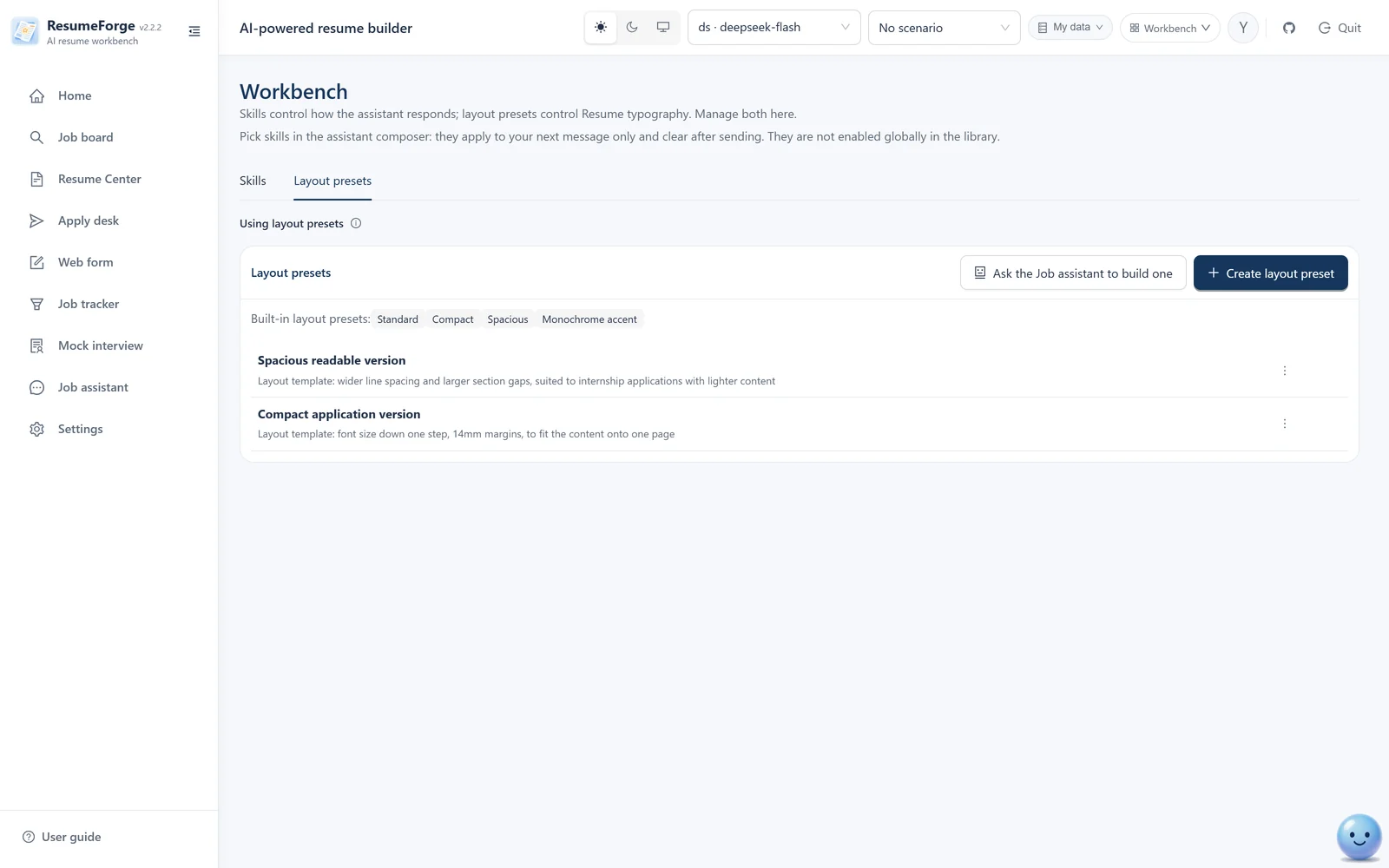
Workbench · layouts
Six built-in styles shown as real thumbnails (not mock-ups — same rendering path as the real preview). Copy a built-in template, import your own HTML, or import a target resume: upload an image or PDF and the model reads its accent color, line height and margins into a format template; click a thumbnail for a 1:1 view.
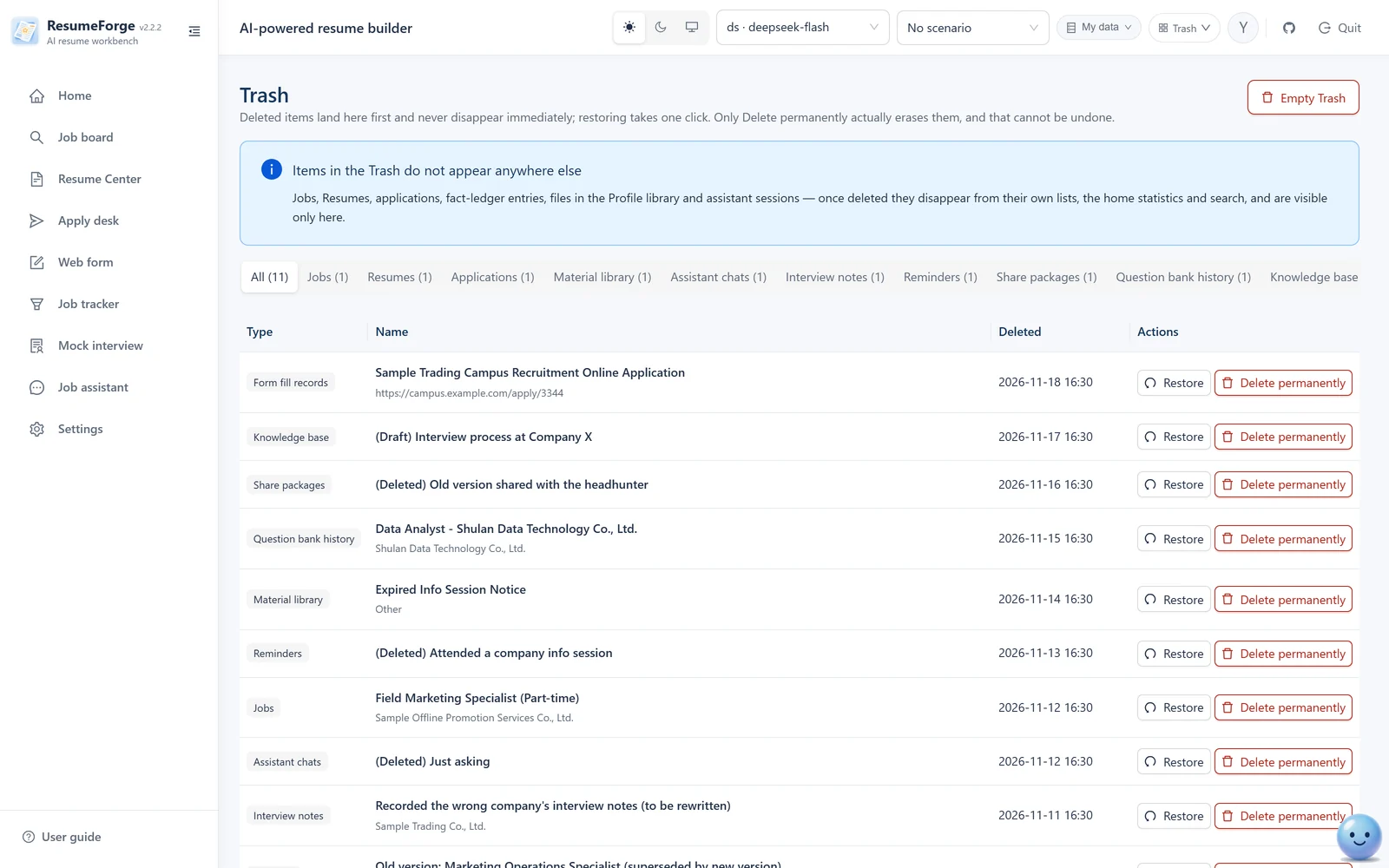
Trash
22 kinds of content share one table, each with a type tag and a deletion time; restoring takes one click, while permanent deletion and emptying ask for confirmation and state the consequences.
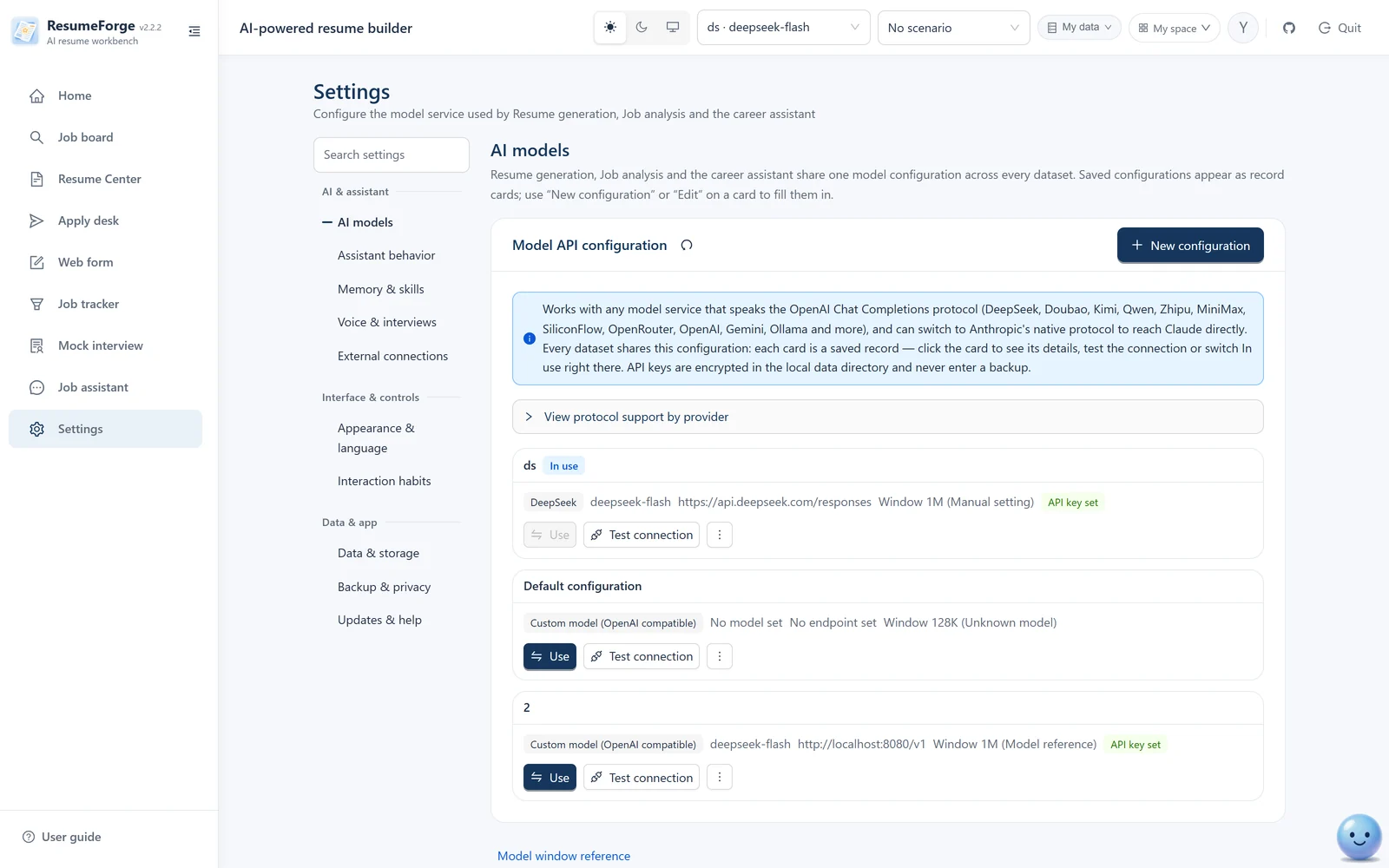
Settings · AI models
22 common service presets (including Anthropic's native protocol); fetch the models your account can use and tune advanced parameters; save several named profiles and switch at any time.
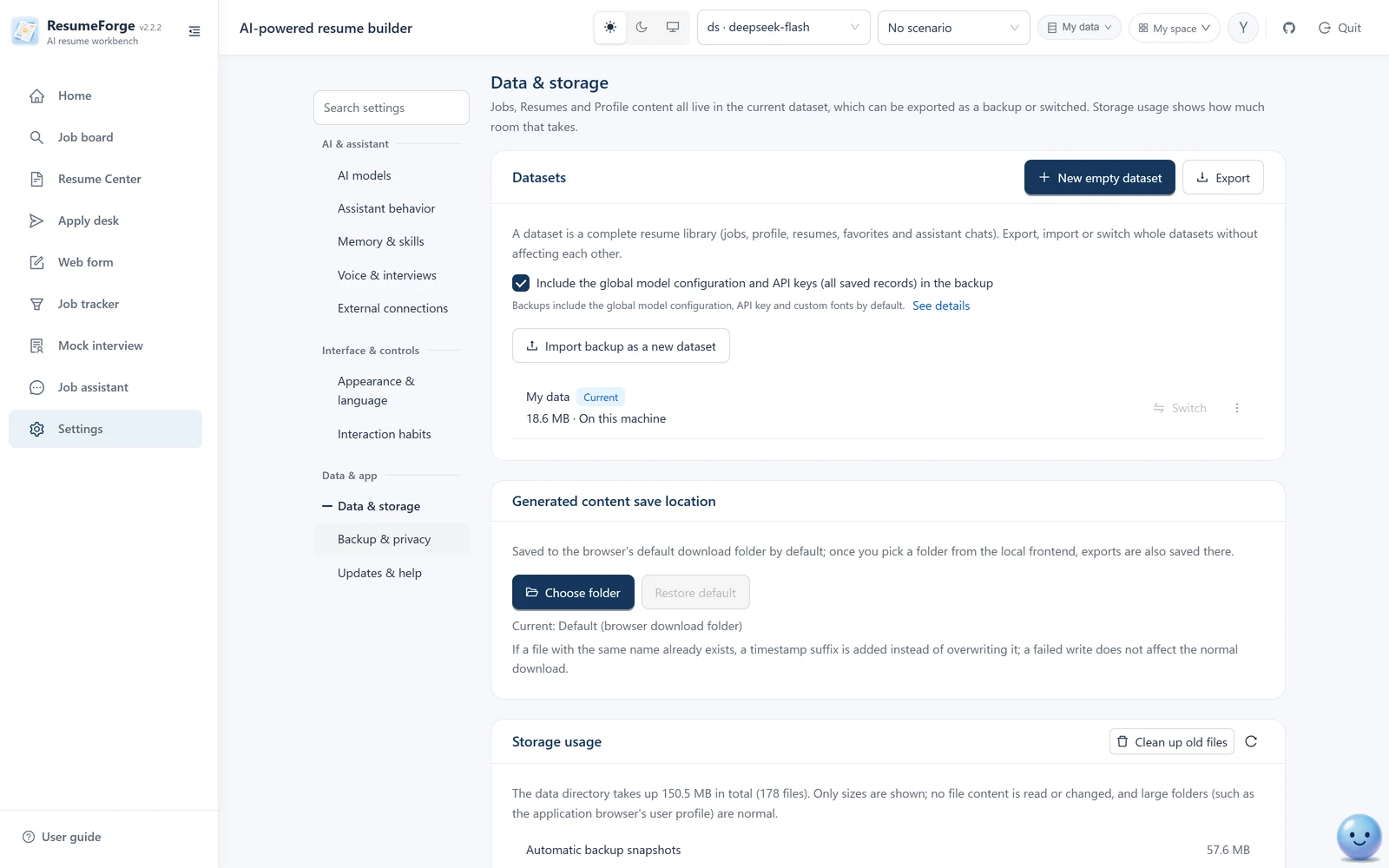
Settings · Data & storage
Create a blank dataset, export the current or all datasets, import a backup as a new dataset; backups exclude API keys by default (you can include them before exporting), and an import is all-or-nothing. Every section has “Restore defaults” in its top-right corner.
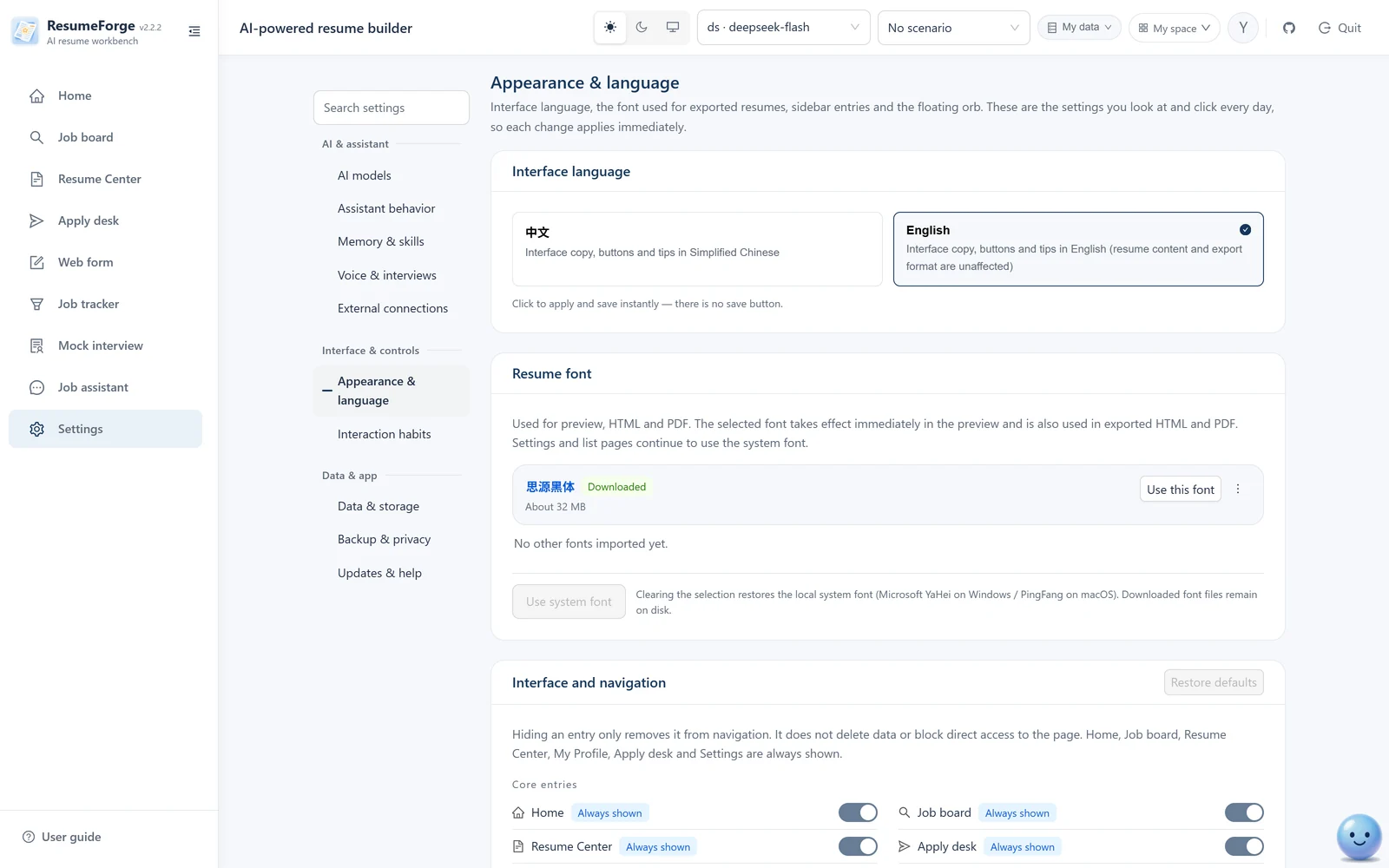
Settings · Appearance & language
Interface language (Chinese / English applies instantly, no save needed), the font used in exported resumes (Source Han Sans can be downloaded and set as current in one click), and navigation visibility; the sidebar entries and the TouTou orb live on these two pages as well. Light/dark switches from the star↔moon icon in the header.
Built-in user guide
Opens automatically on first launch and explains how the modules connect in order; reopen it anytime from the bottom of the sidebar.
32 screenshots · use arrow keys or drag · click any image to zoom
Feature list
One local app for the whole job search.
From reading a job screenshot to applying, following up and reviewing the interview. Each step is documented in the user guide.
Fact ledger
Record each sentence as a claim: raw fact, wording, ownership level and boundary; only confirmed claims feed generation.
AI-tailored resumes
Stream a draft against the JD, choosing enhancement level, template and page limit (1 / 2 / 3 or unlimited); it runs as a background task you can inspect or cancel.
Write it yourself, with writing tools
Edit freely after prefilling from your materials, with the target job requirements pinned on the right; STAR rewriting, polishing and version comparison, and one sentence lets the AI change only the column you selected. You can also dictate: hit “Voice note”, speak, then proofread field by field before inserting.
Quality and compliance checks
Duplicates, sensitive words, exaggeration risk, interview follow-up risk, compliance and local ATS checks — six categories; risk points link to the fact ledger. ATS scores are now tied to keyword coverage, so the same resume scores lower than before: that is a correction, not a regression.
Job management and JD analysis
Skills are extracted automatically, with status and batch actions; requirement analysis turns the original posting into a structured summary with evidence; before applying you can research the company and the role — source cards plus a brief with numbered citations, with history you can revisit.
Job match analysis
Five verdict types plus an apply recommendation, each with the JD quote and your evidence; the reference score never affects eligibility.
Apply desk and auto-apply
Queue and auto-apply, per-job progress, a circuit breaker after repeated failures; only jobs whose source is on a supported job site are accepted.
Web forms (fill only, never submit)
A dedicated browser reads the whole form, lets you verify each row, then fills it; it never submits and reports the real success rate.
Mock interviews and question bank
Eight types, three difficulty levels and four interviewer styles; the question bank is generated from the job and your materials. The interviewer can read questions aloud with synthesized speech (falling back to the local voice when no speech credentials are configured, and saying why).
Interview deep dive
Confirmed claims are stress-tested one by one with the rubric locked up front, ending with action items and a re-practice queue.
Multi-format export and sharing
PDF / Word / HTML / Markdown / plain text / PNG share one page limit (JSON is complete data and is never truncated); watermarking, one-click redaction and offline share packages are supported.
Works without a model
Parsing, match verdicts, layout rendering, export, duplicate checks and ATS checks all run on local rules; no model required.
External resume archive
PDF / docx / txt / md produced elsewhere can enter the resume center too: preview the original, extract text, and check it item by item (placeholders / quantification / contact details / weak phrasing, no total score); soft-deleted items are recoverable and can go straight into a mock interview. Fully isolated from the builder and export.
Original files kept
Attachments in the materials box support images / PDF / Word(.docx) / txt / md / json / csv and keep the originals: preview, copy and save-as all work; scanned documents and certificate photos can be read by OCR (three engine modes), and when recognition fails the reason is stated plainly.
Open source, transparent, and your data stays on your machine.
Open source under Apache-2.0; the code can be read and changed. All data lives in local SQLite on your machine, never uploaded, and job-site credentials are never stored. Moving to a new computer is one dataset backup.
ResumeForge is fully open source (Apache-2.0) and stores data only on your machine. This page offers the latest stable release; screenshots and docs follow the current code, so details may differ slightly from the release.
A fictional dataset: 31 jobs, 15 resumes, 21 fact claims, 20 tracker entries, 12 interview experiences, 13 application records (in 6 batches, with failure diagnostics), 20 reminders, 6 referrals, 18 material items, 17 knowledge notes, plus question-bank and review history, deep-dive sessions, 3 model profiles and 3 custom templates, and coverage for every screen in the app. Exported by 2.2.1 and importable into 2.3.0 (backwards compatible within the same major: it only adds a dataset and never touches your data). Every list keeps one deleted row in the recycle bin — one job, one resume, one application, one reminder, one material item, one interview experience and one knowledge note — to demonstrate delete and restore, so the default lists in the app show a few fewer rows than the numbers above.
No need to unzip: pick it in the app under Settings → Data & storage → Import backup as a new dataset. The package is about 30 MB (it carries the Chinese fonts used for export) and contains no API key.
1
Download and unzip
Use “Download the latest version” below to get an installer or archive (Windows / macOS / Linux portable packs are about 36–38 MB including source and docs; installers are exe / dmg / AppImage). Unzip or install anywhere; if you can reach GitHub you can also git clone the repository.
2
Double-click the launcher
On Windows, double-click start.cmd; on macOS, double-click start.command. The launcher prepares the runtime, installs dependencies, starts the services and opens the browser. The first run needs network access and usually takes a few minutes.
3
Configure a model when needed
For AI generation, match analysis, the assistant and interviews, open Settings, pick a preset or enter a custom endpoint, test the connection and save. Without a model you can still maintain your profile, manage jobs, write a resume by hand and export.
Verify the download (SHA-256)
Every installer ships an identically named .sha256 file; verify the hash after downloading. Reference values for v2.3.0:
Windows installer0d808ee321639c01a64959469dfa13b51c23f15d39425eed3c29974d340a8bae
Windows portablef32e955083d757c78cfd6abb231b0621054506be059aa17c8784937d6fddc3a0
Linux portable3098da3c2b00cecf2f4e3df9a29536dad15705d4b92861492b3ef093fd9643bd
Linux AppImage (x86_64) e3e3e32d8f55a8a01e52eaa148536915b92c737df368ae757ba6b82efb84b06a
Linux AppImage (arm64) ea2e5d983eeff1405b77ae9604f18d9259797c4fde9f8b1f94ddc227bf350b4e
How to verify (three steps): ① download the installer and its .sha256 file; ② in the download folder run Get-FileHash .\ResumeForge-2.3.0-windows.zip (Windows PowerShell) or shasum -a 256 ResumeForge-2.3.0-macos.zip (macOS / Linux terminal); ③ compare the output character by character with the values above before running. Application updates perform the same check before installing.
macOS builds start at v0.12.0; there is no earlier macOS package. For older versions use the Windows package — the application itself is the same, only the launcher differs.
Want a look before installing? Visit the online demo and walk through the basics with fictional data.
Which button should I pick? Each platform's portable pack only contains that platform's launcher (a .cmd on Windows, a .command on macOS, a .sh on Linux); the program itself is identical in every pack — if you pick the wrong platform, download the other button. A complete pack with every launcher is available on the GitHub Release page (the “Complete installer” link above).
Download stuck or won't open? Grab the installer from the QQ group 922830167 files.
Can't install it, won't start, or want the AI to understand your jobs better? Ask in the group.
This project has no support desk, but the group has people in it. Questions, feature requests and bug reports are welcome, and the next release is discussed there first. The group files also include installers — handy when GitHub is slow.

 ResumeForge